A photography CRM that flags who is due to rebook
Last fall's families forget to book this year. Each client's rebook clock starts at their last session, and a message is one tap away.
Rebooking reminders
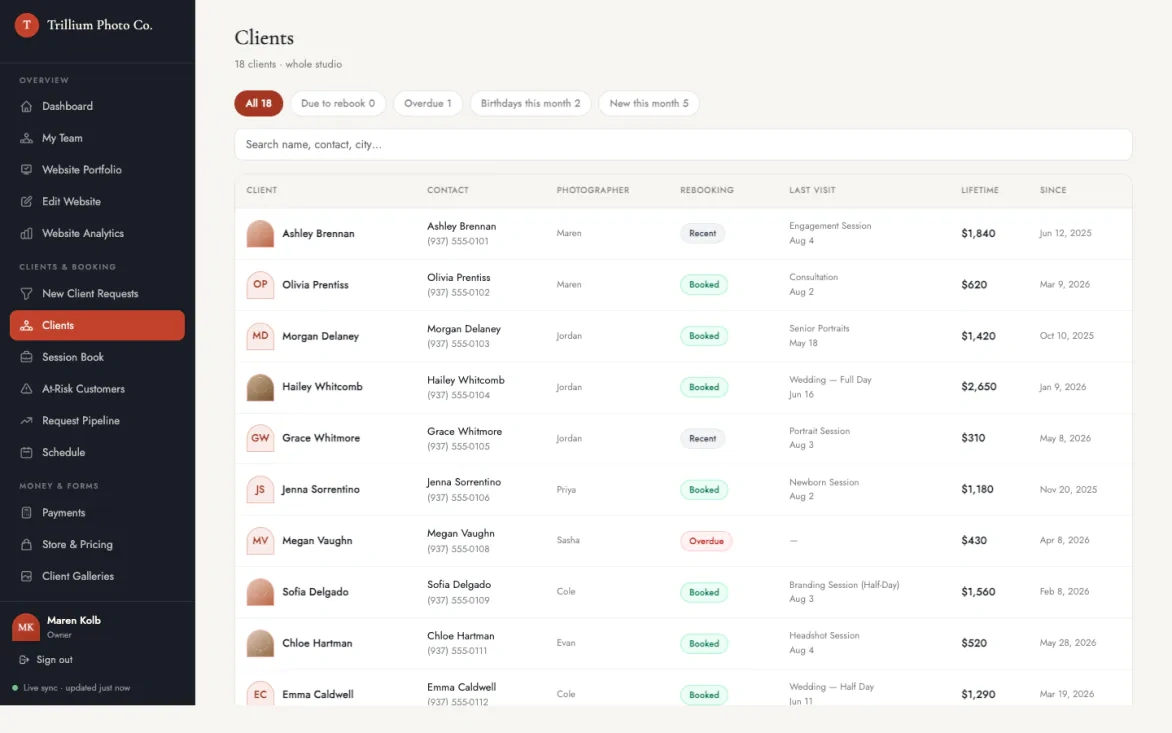
Turbo Link flags each client who is due for their next session, counted from their last completed session. You see who to invite back this week, and repeat bookings come from people who already know your work.
Due and overdue flags
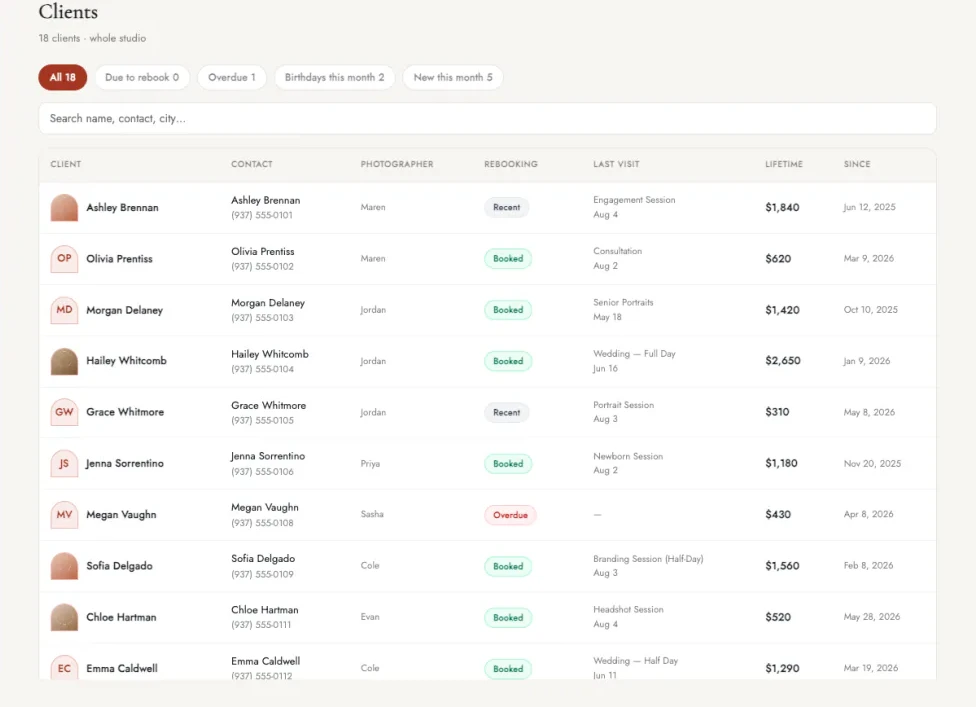
A client is flagged as due once enough time has passed since their last completed session. Once they book again, the flag clears. Filter the client list to due or overdue, and you see who to invite back without counting months yourself.
A rebook cycle for each client
Set how often each client books, such as every year for family photos. When a client is due, they get an email in your own words. Your regulars hear from you at the right time, without a spreadsheet of dates.
Grace period for new clients
A brand-new client gets a grace period before their first due flag. Your list starts with clients who are ready to hear from you.
Flags that update on their own
Due, overdue, at-risk and birthday flags update on their own. The list is current every time you open it.
Rebook status on the client list
The client list shows each client's rebook status and last session. You scan your whole book in one view.
Client profiles
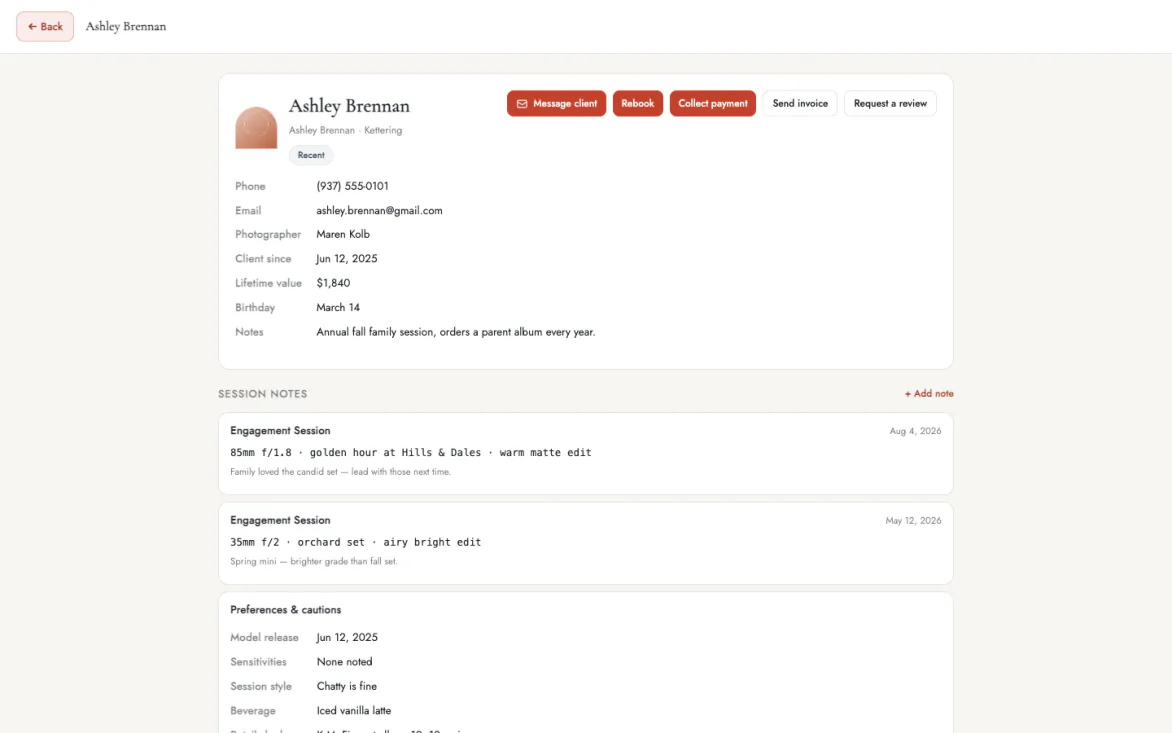
Every client has a profile with their contact details, birthday, lifetime value and session notes. You walk into each session knowing the family and what you did for them last time.
Every session in one record
A client's profile lists every session you have done with them. You see their history before you reply to a new request. Returning clients feel remembered, because you already know their story.
Lifetime value
Each profile shows what the client has spent with you across every session. You can spot your best clients at a glance. They are the families worth a personal note when you open new dates.
Session notes
Add notes to each session on the client's profile. Next year's session starts from what you learned this year.
Contact details on file
Each profile keeps the client's contact details. You reach them from their profile instead of searching your phone.
CSV import and export
Bring your client list in from a CSV file, and take it with you anytime. Your records belong to your studio.
Lead pipeline
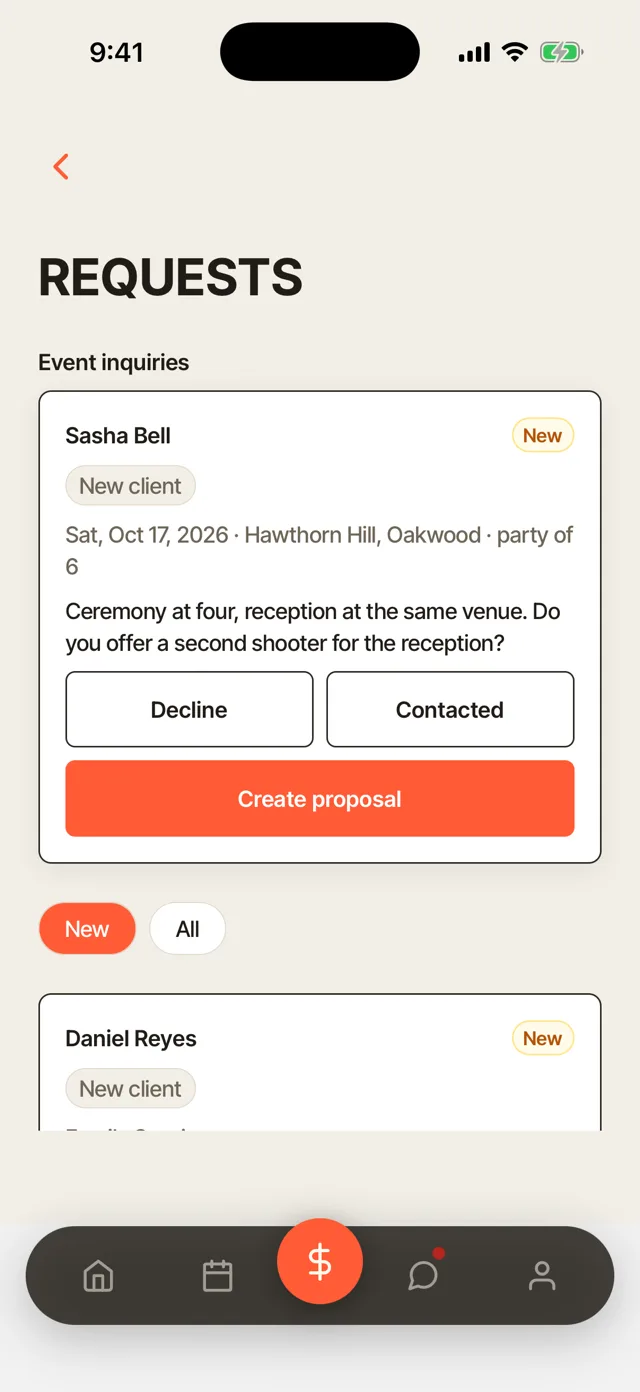
Every inquiry is tracked from the first message until it books. You see which leads still need an answer, so a new client does not slip away while you are busy shooting.
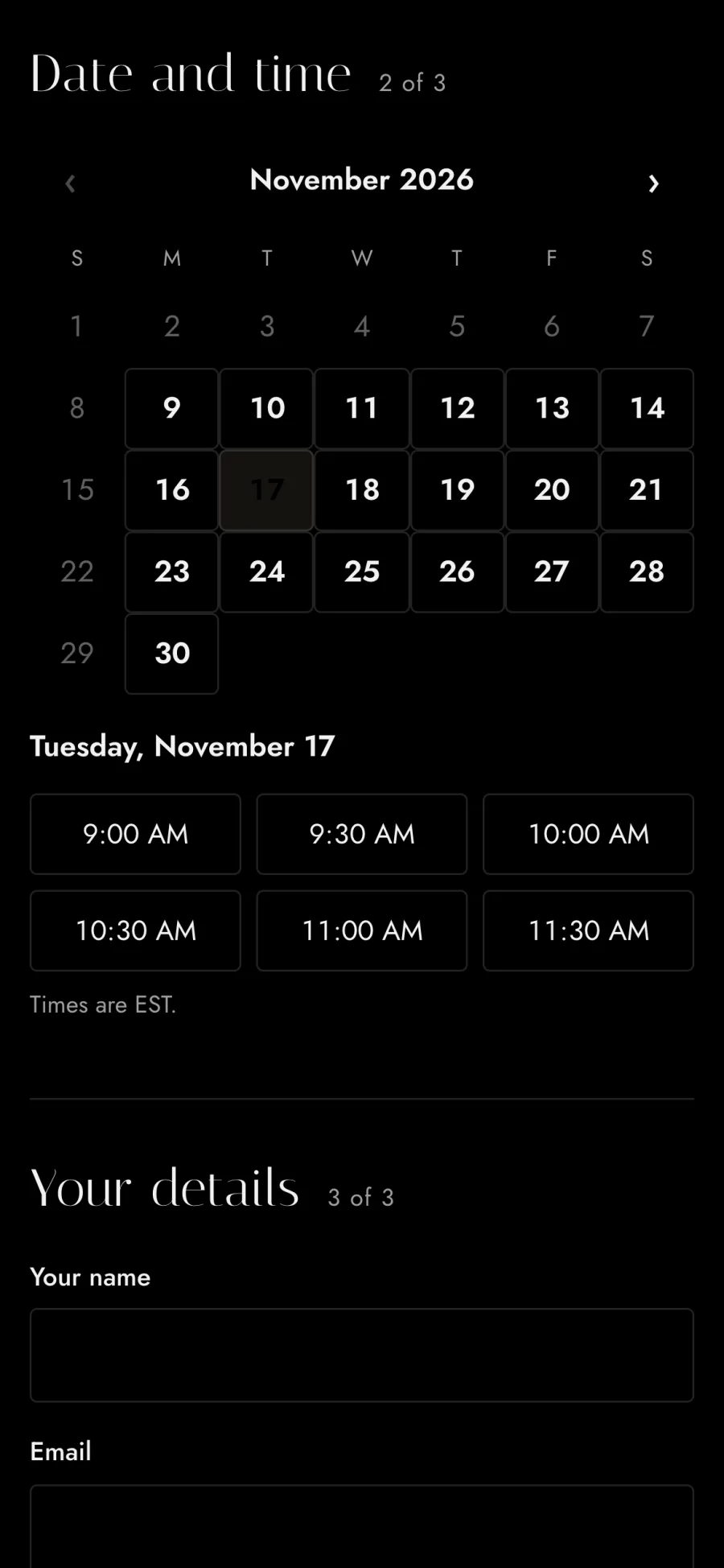
New, Contacted and Booked
Each request lands in New with the client's details attached. Mark it contacted when you reply, and it moves to Booked when the client books. One look shows which inquiries are waiting on you.
Inquiries from anywhere
Your website's booking page feeds the pipeline on its own. DMs or walk-up inquiries can be logged in seconds. Every lead ends up in the same list, wherever it started.
Create a proposal from a request
Turn a request into a proposal with the package, the contract and a payment plan. Your client accepts it in one place.
Answer from your phone
New requests show up in the app as they come in. You can answer between sessions instead of at the end of the day.
Requests on the calendar
Each request also lands on the calendar in the dashboard. You see it next to the sessions you already have.
At-risk clients and win-back messages
Turbo Link finds the clients who have gone quiet and helps you bring them back with one message. Each client who comes back is a booking you did not have to find from scratch.
At-risk list
Clients who have gone quiet are flagged as at-risk, with the longest gap at the top. You see who to reach out to first. The list stays current as clients book again.
Win-back message
Write the win-back message once, in your own words, and switch it on. It goes out on its own to clients who have gone quiet. Leave it off if you would rather reach out to each client yourself.
A message one tap away
Every flagged client has a message one tap away. Reaching out takes less time than finding their number.
Birthday emails
Send a note on each client's birthday, automatically. Your studio stays in touch between sessions.
Email past clients in one send
Announce mini sessions or open dates to past clients at once. Fill open dates from people who already booked you.
CRM for photography teams
Rebooking works the same for a studio with several photographers. Each person works their own list, and the owner sees how the whole studio is doing.
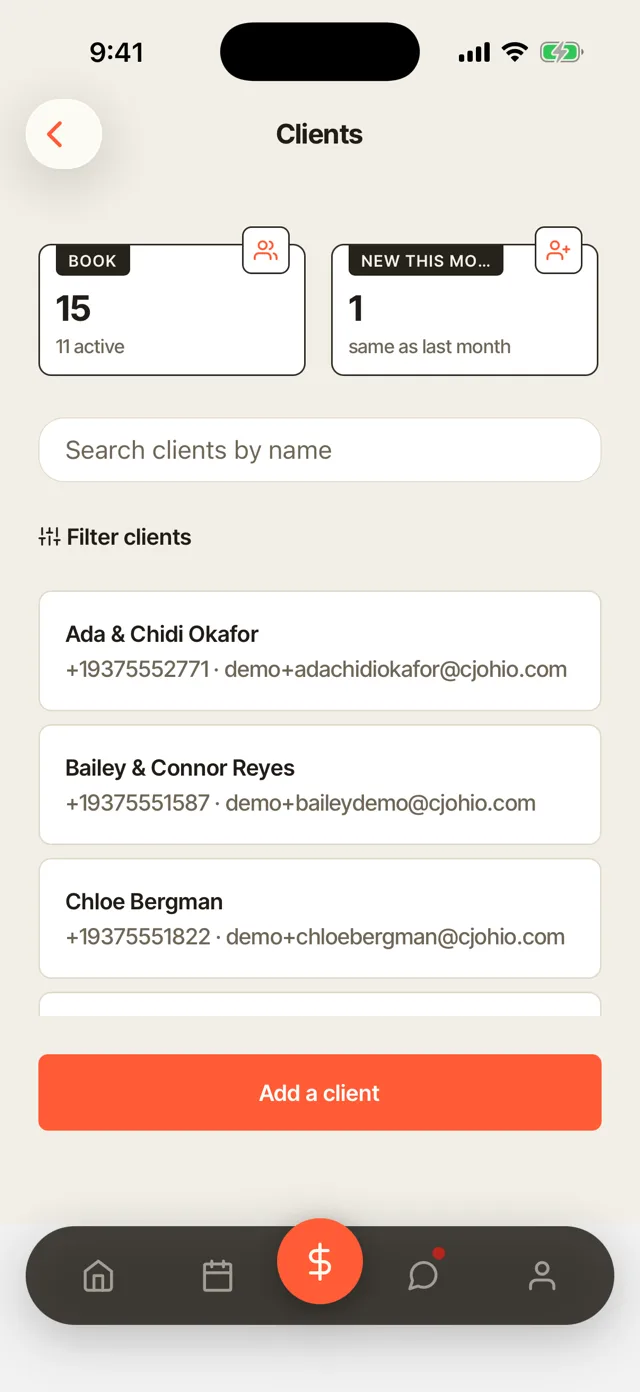
Rebook health for each photographer
The owner sees the whole studio's rebook list on one screen. Rebook health shows for each photographer. You can see whose clients are coming back and whose need a nudge.
Each photographer's own flags
Each photographer sees the flags for their own clients. They follow up with the families they know, without sorting through the whole studio's list. Team accounts give assistants and associate photographers their own sign-in.
Client list in the app
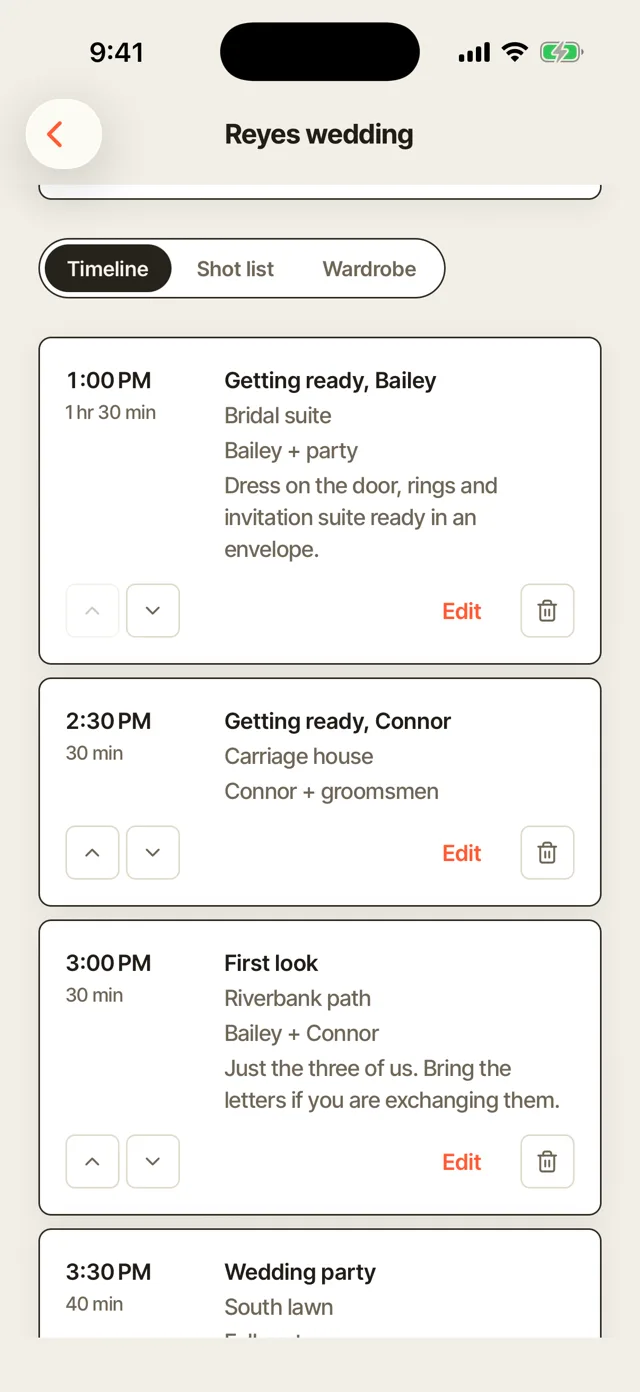
Search and filter every client from your phone. Their details, sessions and spend are with you at the shoot.
Each client's photographer
The client list shows which photographer each client works with. Nobody on the team has to ask whose client is whose.
Access set per session
Choose what each person sees on each session. A second shooter can get the plan for the day with client contact details and money switched off.
More of Turbo Link for photographers
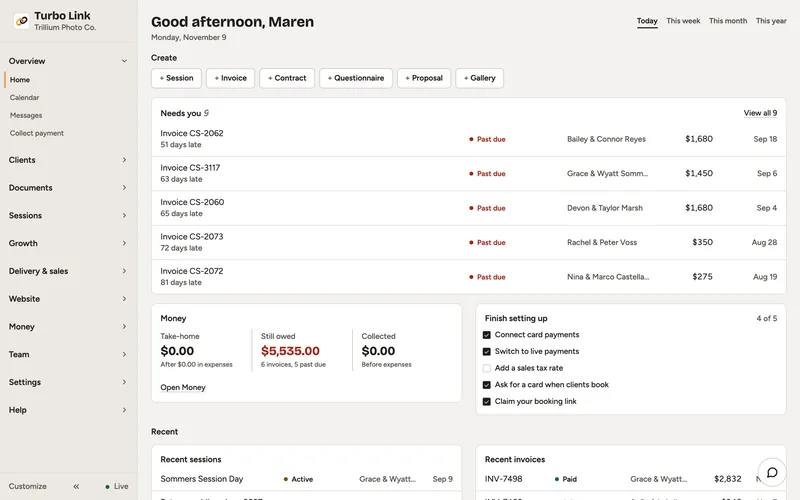

Questions about rebooking clients
Is any of this automatic?
The flags are. Due, overdue, at-risk, birthdays and the pipeline update on their own. Sending is your call: reach out by hand from any flag, or switch on the win-back message and it goes on its own.
What counts as due?
A client is due once enough time has passed since their last completed session. A brand-new client gets a grace period first, and once they book again, the flag clears. For the message itself, read how to get photography clients to rebook.
Does it work for a team?
Yes. Each photographer sees their own flags, and the owner sees the whole studio with rebook health per photographer.
Where do the inquiries come from?
Your website's booking page feeds the pipeline, and DMs or walk-up inquiries can be logged in seconds. Either way, they land in New with the client's details attached.