Booking, client galleries, contracts and payments for photographers
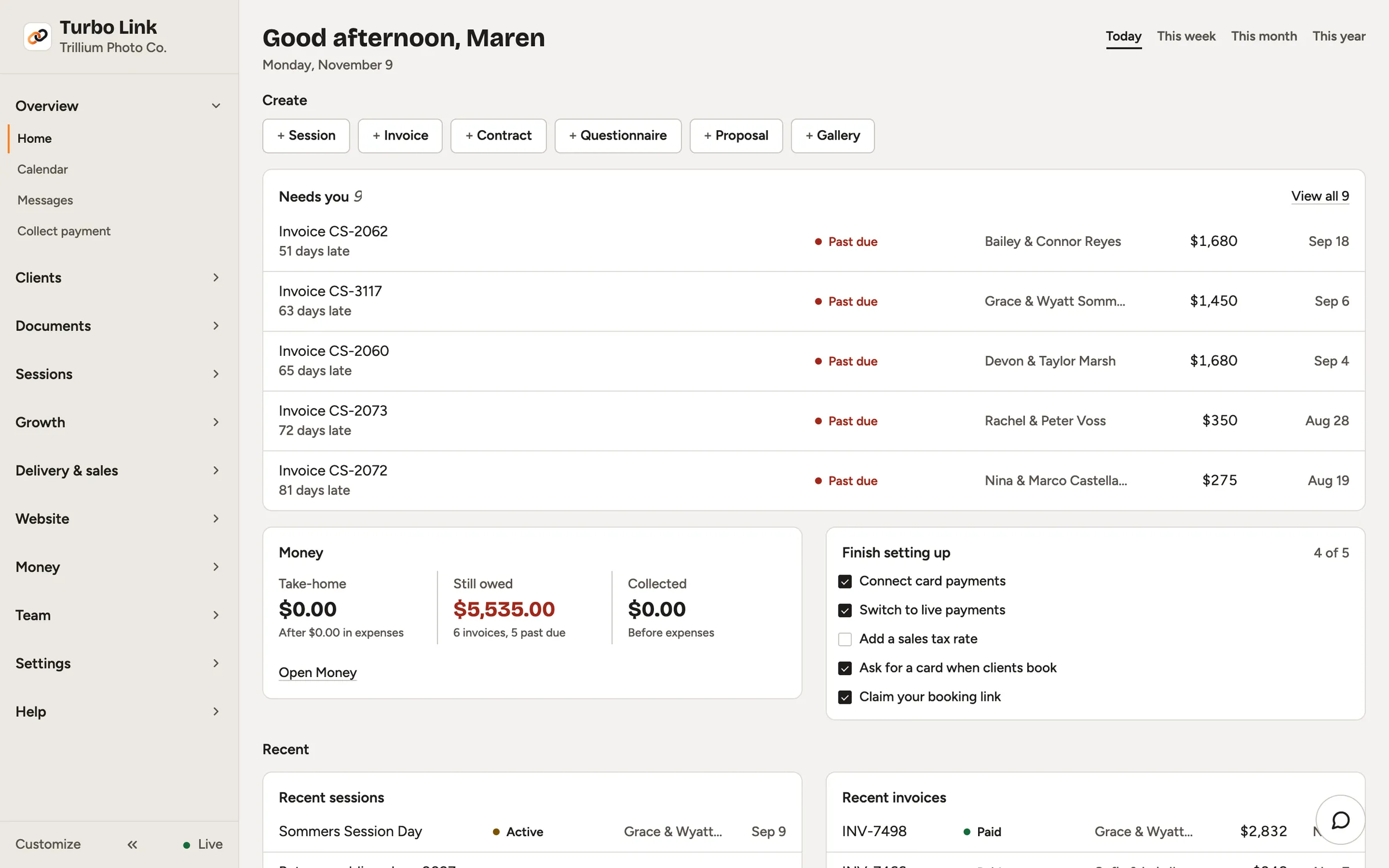
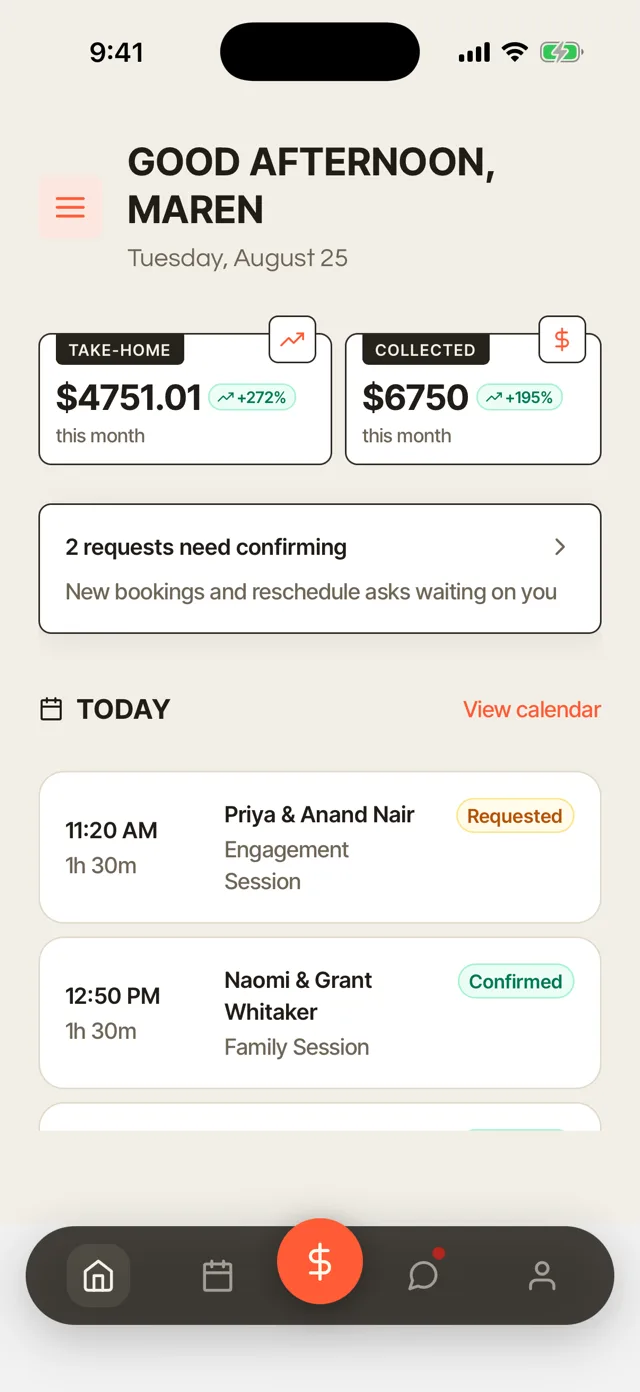
Run your studio from the dashboard on your laptop and the Turbo Link app on your iPhone or Android phone.
Booking links and deposits
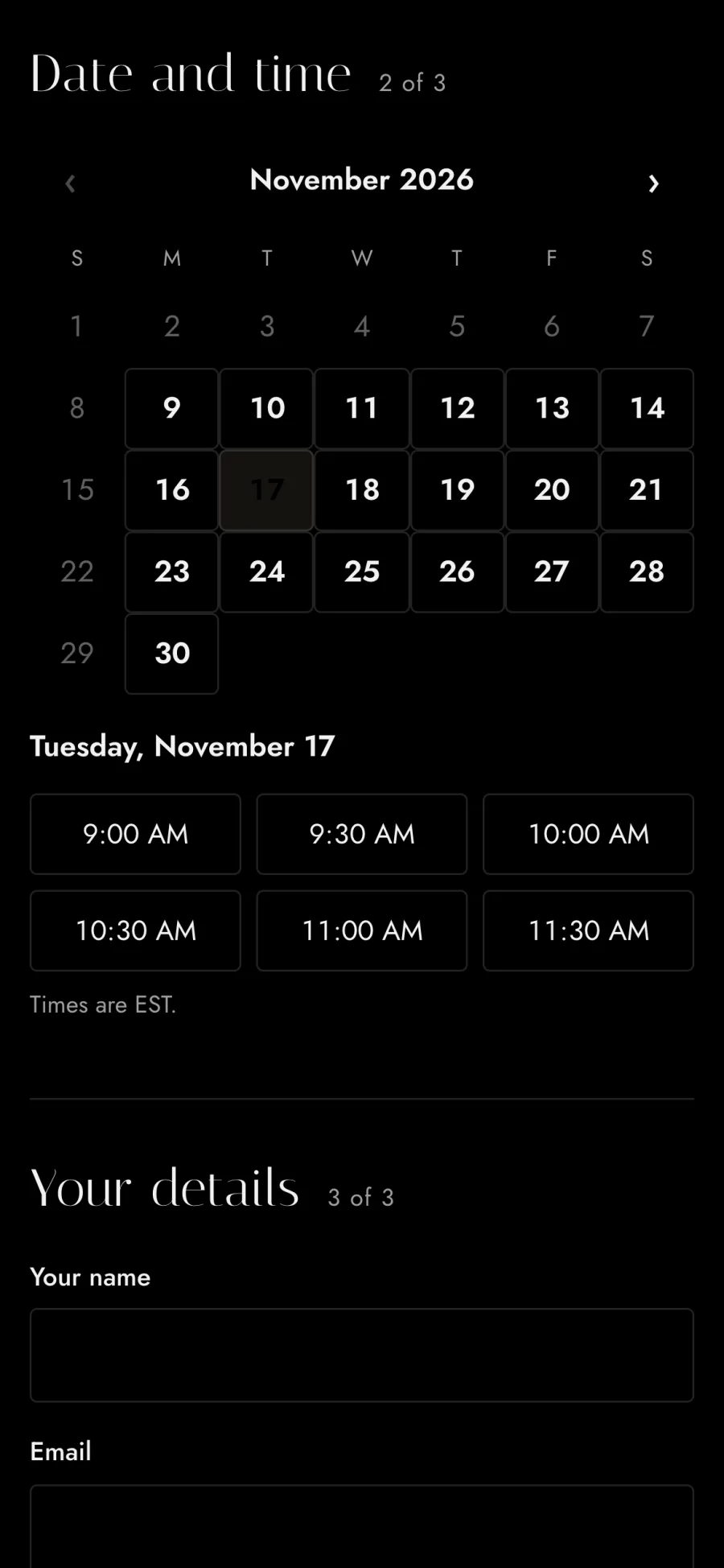
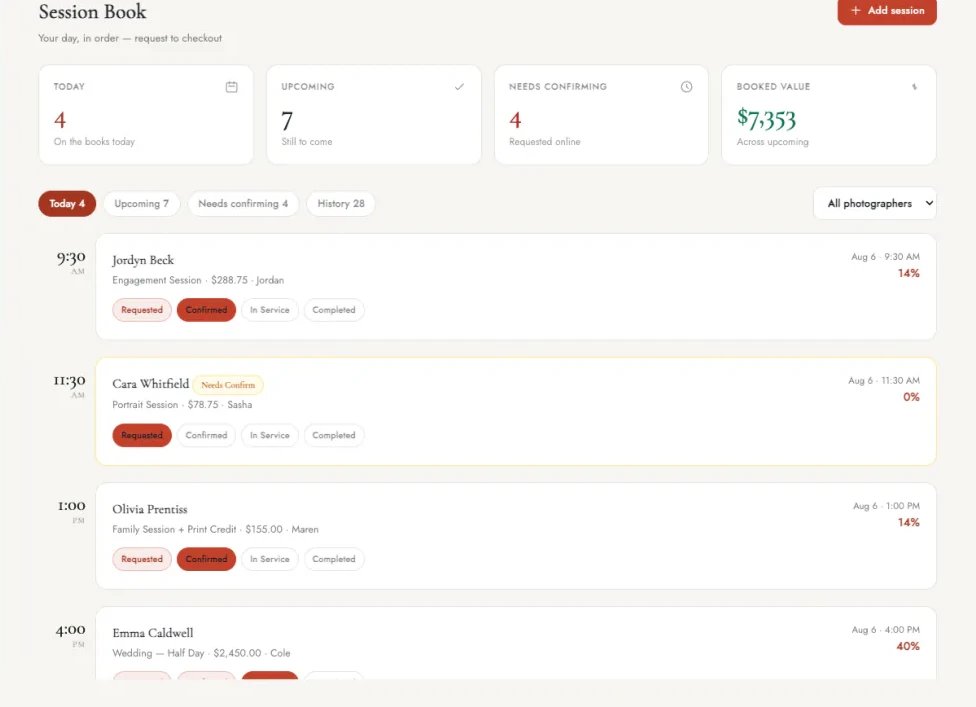
Share one booking link, and clients pick a session, choose an open time and pay your deposit to book it. Every booking lands on your calendar with the deposit already paid.
One booking link with deposits
Put one link in your Instagram bio, your texts and your emails. Your client picks the kind of session, chooses an open time and pays the deposit you set for that session type, right from their phone. The deposit is paid as part of booking. You stop trading messages to find a time and chasing a deposit before you can hold the date.
Contract and questionnaire sent automatically
Every booking sends your contract and your questionnaire to the client. They sign and answer on their phone. You see in the dashboard which clients have signed and which are still waiting. You walk into each session with the paperwork done and the client's answers in hand.
Session types and packages
Set the length, the price and what is included for each kind of session. Clients see exactly what they are booking before they pay.
Instant booking or approval
Let clients book straight away, or approve each request yourself first. Instant booking fills your open times while you are out shooting.
No double bookings
Notice times, buffers between sessions and daily limits protect your calendar. A time that is taken never shows as open to the next client.
Mini sessions
Open a day of short sessions and let clients pick a slot. One post with your link can fill the whole day.
Waitlist
When your dates are full, clients can join your waitlist. You have a list of people to call when a date opens up.
Reminders and calendar sync
Clients get reminders before their session, and bookings land on your calendar. Reminders cut down on late arrivals and missed sessions.
Client galleries
Deliver each session in a private gallery where clients pick favorites, download their photos and order prints. Every gallery is also a store, so the session keeps earning after you deliver it.

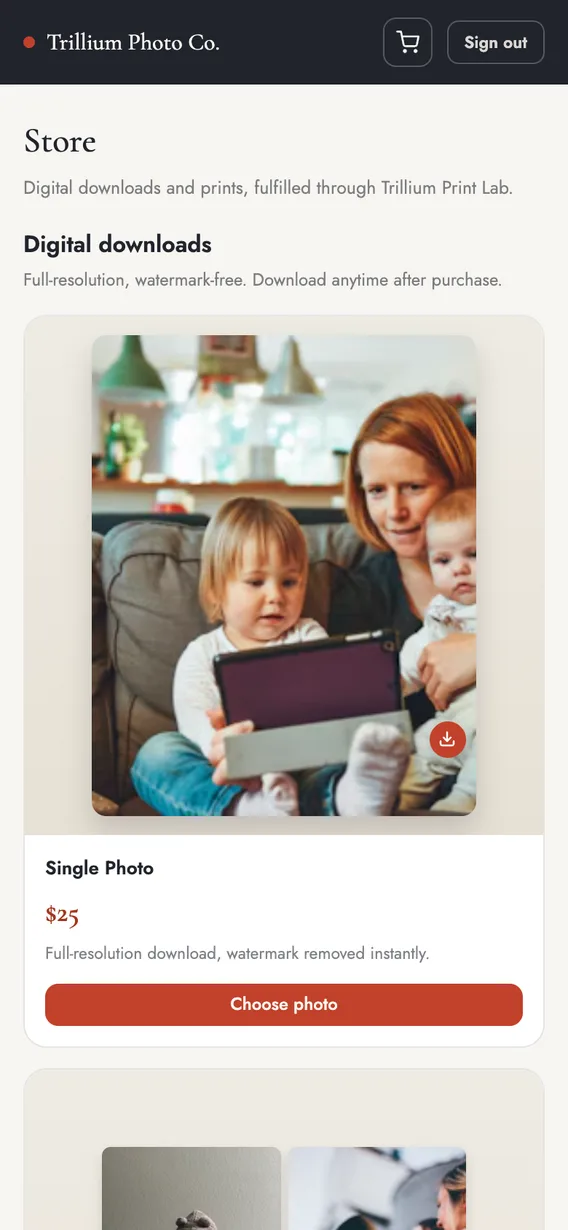
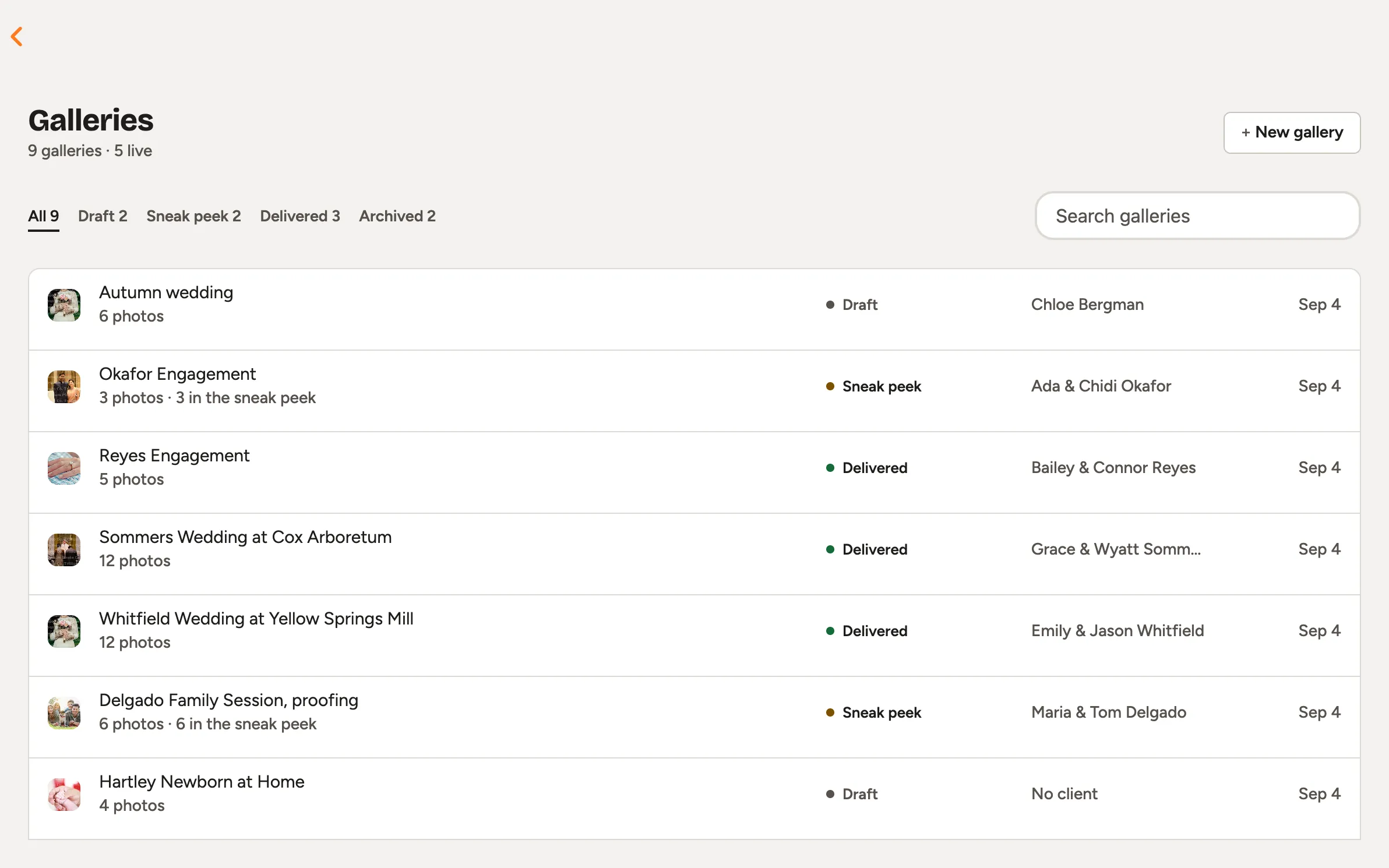
Print store
Clients order prints straight from their gallery. A professional lab prints and ships them at the prices you set. Clients preview the crop and see the shipping before they pay. You earn on prints without packing a box or driving to a lab.
Photo and package sales
Sell single photos, sets or the whole gallery. Photos stay watermarked until the client pays, then open for full-resolution download. Photos a client bought stay downloadable after the gallery expires. Your client buys the photos they love from the gallery, with no invoice to send.
Password protection
Each gallery opens with a password or a guest PIN link. Only your client and the people they share it with see the photos.
Favorites and proofing
Clients mark their favorites, so you know which photos to edit. You stop guessing which frames matter to them.
Full-resolution downloads
Clients download the full-size files once they have paid. The photos are ready to print or post the day they arrive.
Expiry dates
Choose when a gallery closes, and clients get a reminder a week before. A closing date gives clients a reason to order now.
Gallery designs
Pick the cover, the grid, and a light or dark look for each gallery. Each delivery looks like the rest of your brand.
100 GB of storage
Your plan includes 100 GB for delivered galleries, with more when you need it. Past galleries stay up without you deleting work to make room.
Manage contracts and accept signatures on mobile
Send a contract from a photography template, and your client signs it on any phone. Templates fill in the client's details, so you are not retyping names and dates.
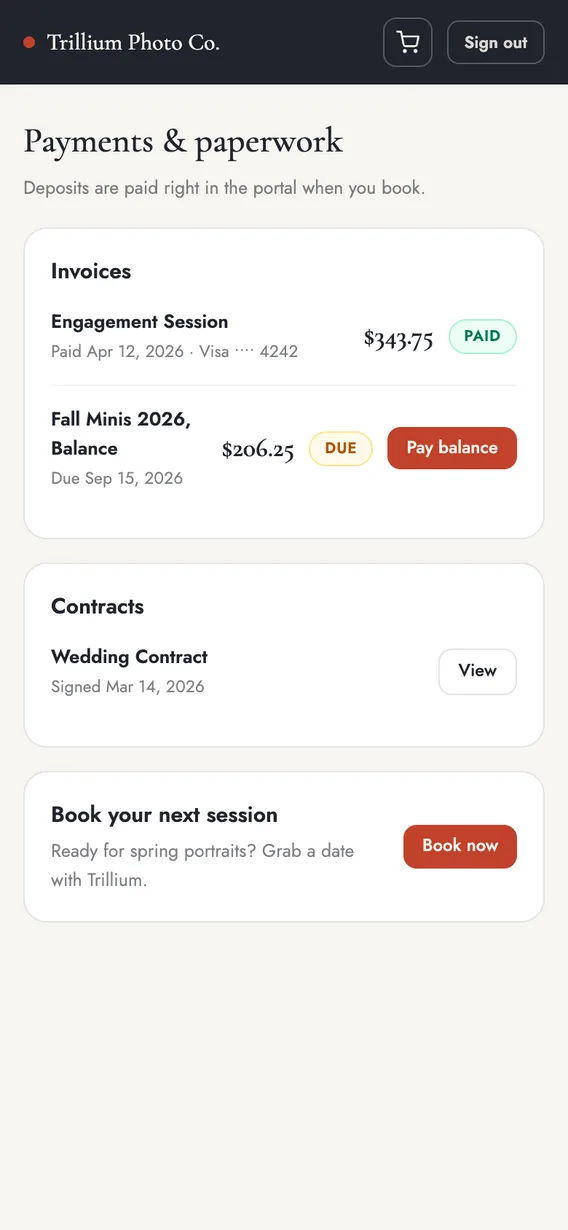
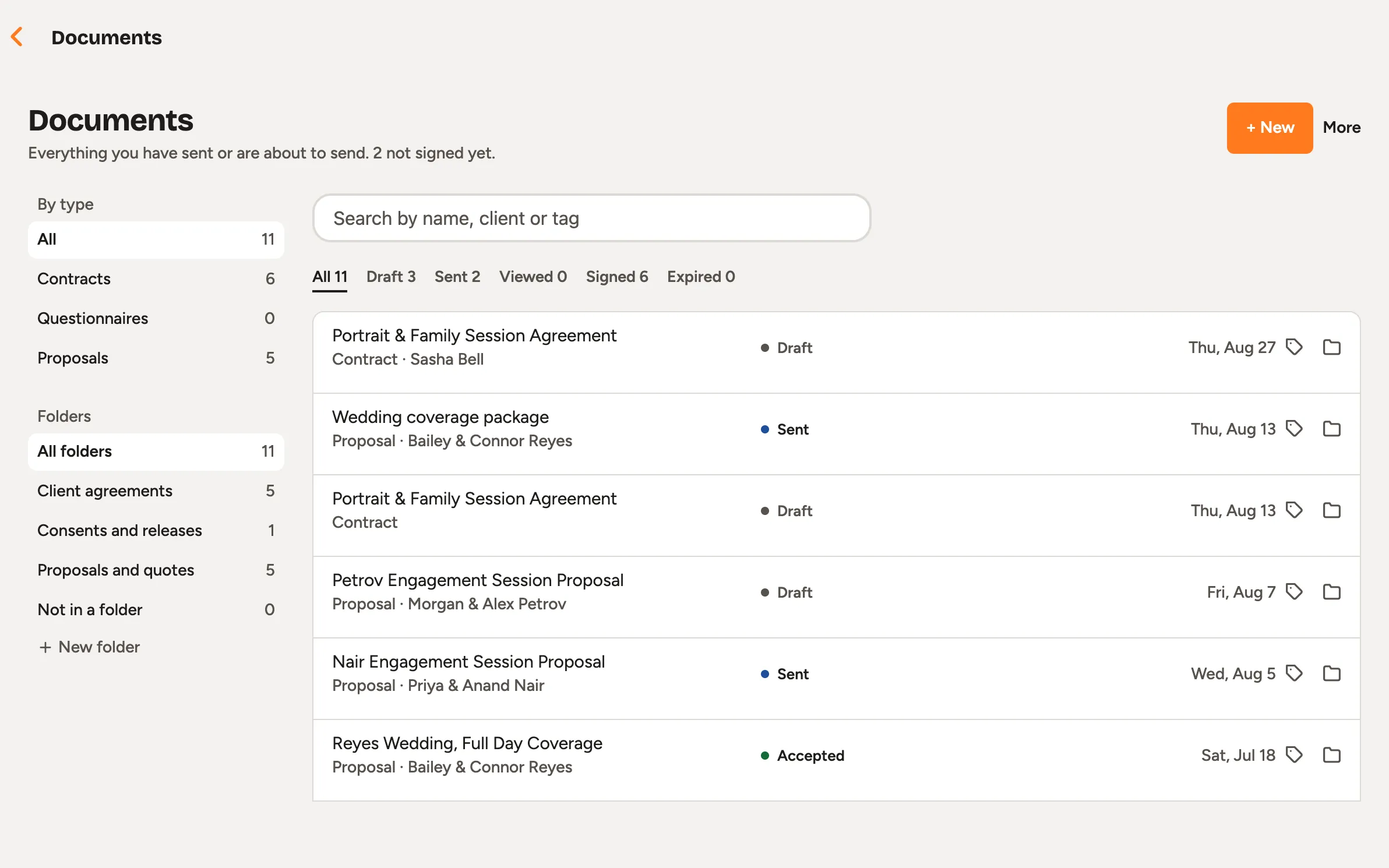
Photography contract templates
Start from a wedding contract, portrait session agreement, model release, print release, second photographer agreement, commercial licensing or mini session terms. Each template fills in your client's details for you. Send it from the dashboard, and see which clients have signed and which are still waiting.
Signatures on any phone
Clients type or draw their signature on their phone, with nothing to download. A partner or a parent can sign the same contract as a second signer. Every signed contract is saved as a PDF with a certificate of completion. You keep a signed record of every job without printing a page.
Your own PDF
Upload the contract you already use and place the signature fields. Your wording stays exactly as it is.
Questionnaires
Clients answer your questions, and their answers feed the plan for the day. You arrive knowing the must-have shots before the session starts.
Proposals with payment plans
Send the package, the contract and a payment plan together for the client to accept. Your client reviews and accepts everything in one place.
Invoices and payments
Send invoices for deposits, balances and payment plans, and get paid by card to your own account. Clients pay from a link on their phone, so you are not chasing a balance by text.
Deposits, balances and payment plans
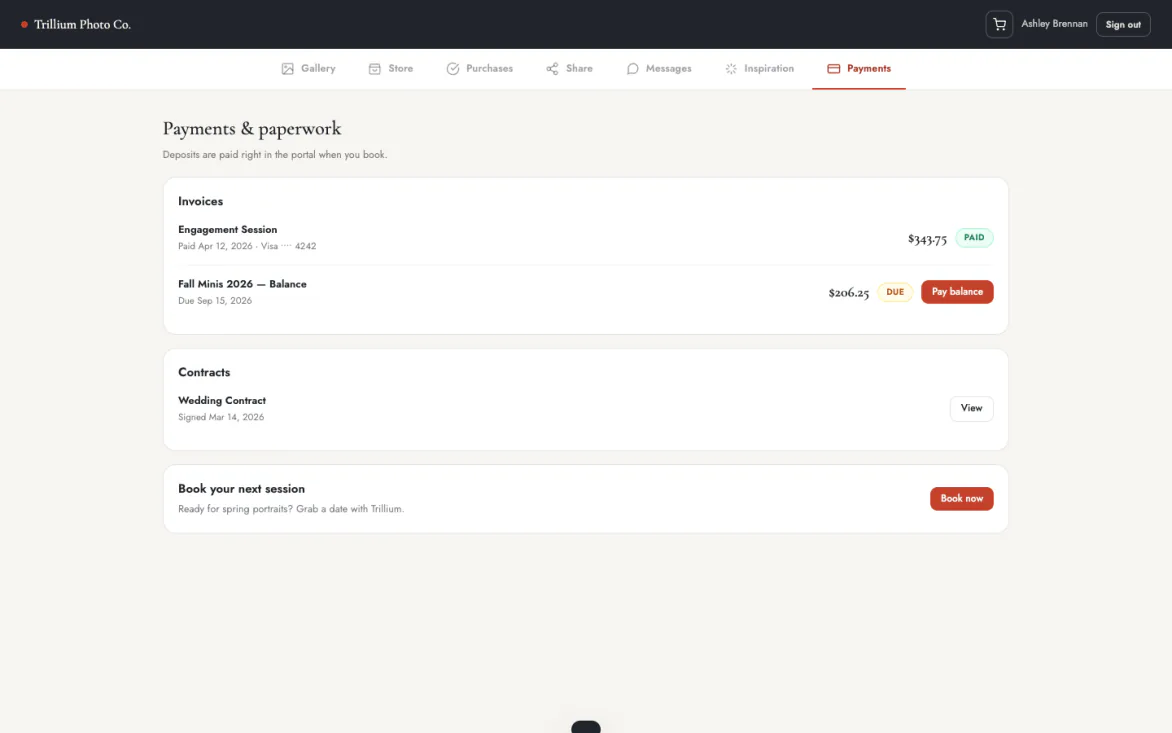
Split a booking into a deposit and payments on the dates you choose. Clients see what they have paid and what is still due in their portal. A client can save a card, and you charge it for the balance when it is due. You collect the balance without sending an awkward reminder.
Tap to Pay on iPhone
Take a card in person with just your iPhone, with no card reader. Hold out your phone at the session, and the client taps their card or their phone to pay. The money goes to your own account like any other payment. You can collect a balance or take payment for an add-on on the spot.
Pay links
Share a pay link by text or email, and your client pays by card from their phone. Clients pay from wherever they read your message.
Paid to your own account
Money goes to your own Stripe or Square account. You keep your own payment history and payouts.
Automatic receipts
Clients get a receipt by email as soon as they pay. Their records and yours match without extra work.
Invite second shooters
Invite a second shooter to a session, and they see the shot list, the timeline and the inspiration photos for the day. You decide what else they see, so client details and money stay private.
Shot list and timeline for the day
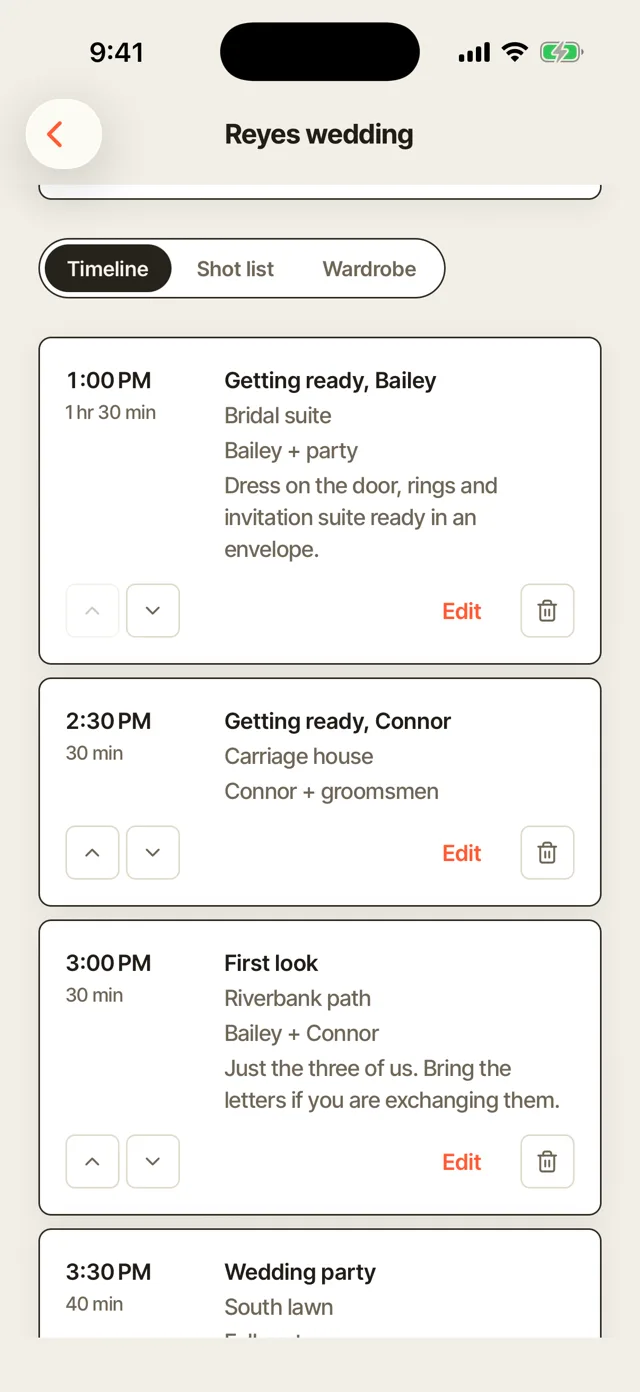
Your second shooter sees the full shot list with the must-haves marked, and the schedule from getting ready to the send-off. Give them shots of their own, and they tick each one off as they go. You both know who is covering what before the day starts. Fewer shots fall through the gaps when you are each in a different room.
You choose what they see
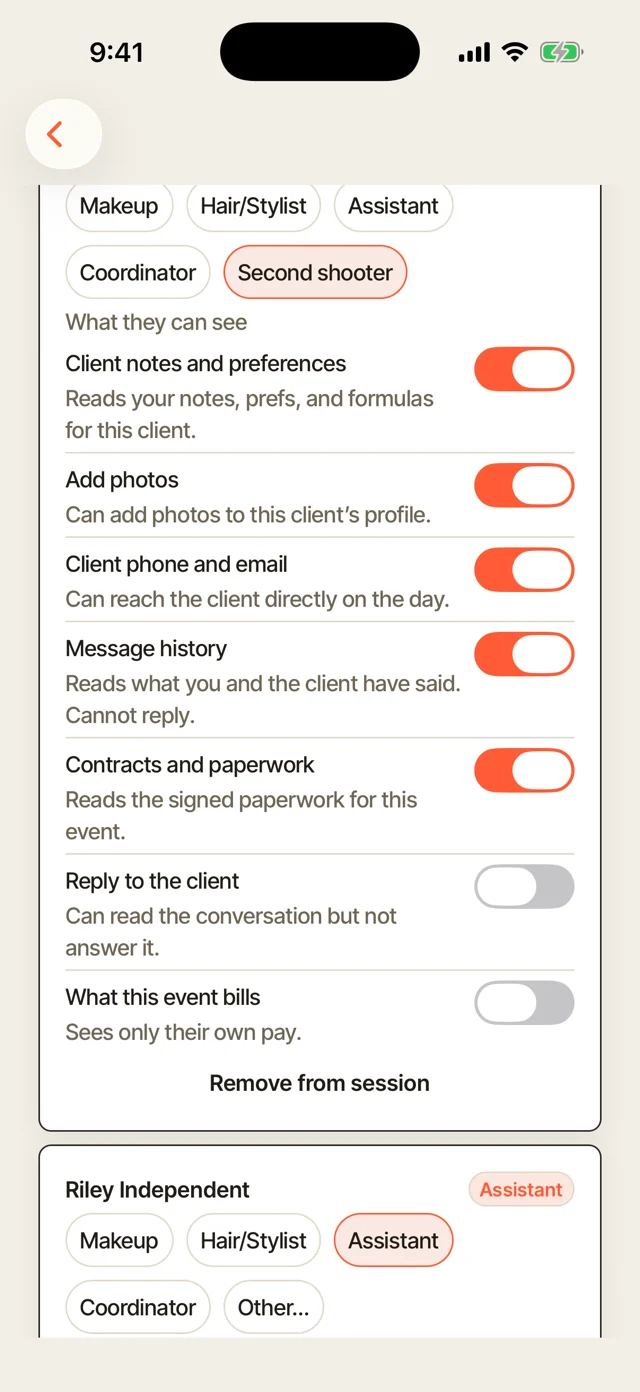
Turn notes, client contact details, money and documents on or off for each session. A second shooter you trust can see more, and a new one sees only the plan for the day. Each session has its own switches. Your client's details stay with you unless you share them.
Inspiration photos
The photos your client shared sit with the plan for the day. Everyone works toward the same look.
Wardrobe palette
The colors your client chose for the session. Your second shooter can pick backgrounds that suit them.
Second photographer agreement
Send your second shooter an agreement to sign before the day. The terms are settled in writing before anyone picks up a camera.
Rebook past clients
Earn more from the clients you already have. See who is due for their next session and invite them back before they book someone else.
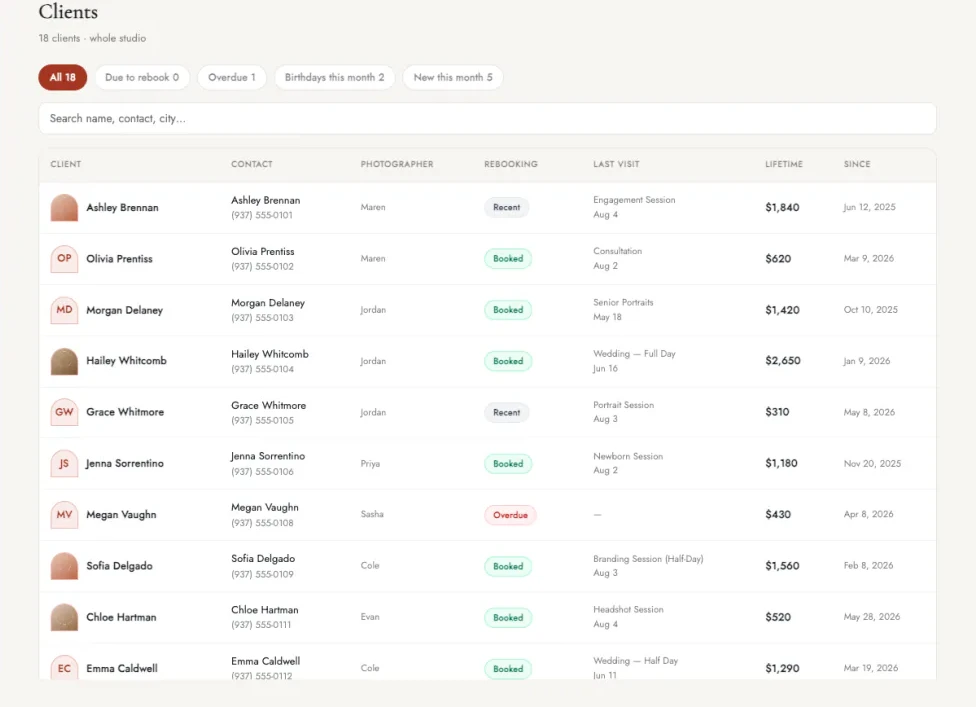
Due to rebook list
Set a rebook cycle for each client, such as every year for family photos. When a client is due, they appear on your due to rebook list, with the longest gaps first. Overdue clients have their own filter, so you can reach them first. Your next month of bookings starts with people who already love your work.
Automatic rebook emails
When a client is due, they get an email in your own words. A win-back message goes to clients who have gone quiet. You write each message once, and it goes out for every client when they are due. Repeat clients book without you having to remember to ask.
Birthday emails
Send a note on each client's birthday, automatically. A small touch keeps you in mind for the next session.
Lifetime spend and last session
See what each client has spent with you and when you last photographed them. You know who your best clients are at a glance.
Email past clients in one send
Announce mini sessions or open dates to past clients at once. A full day of mini sessions can start with one email.
Photography website templates
Pick one of seven designs made for photographers, each with your booking page built in. Your site shows your best work, and a visitor can book a session from any page.
-
 SableSee it live (opens in a new tab)
-
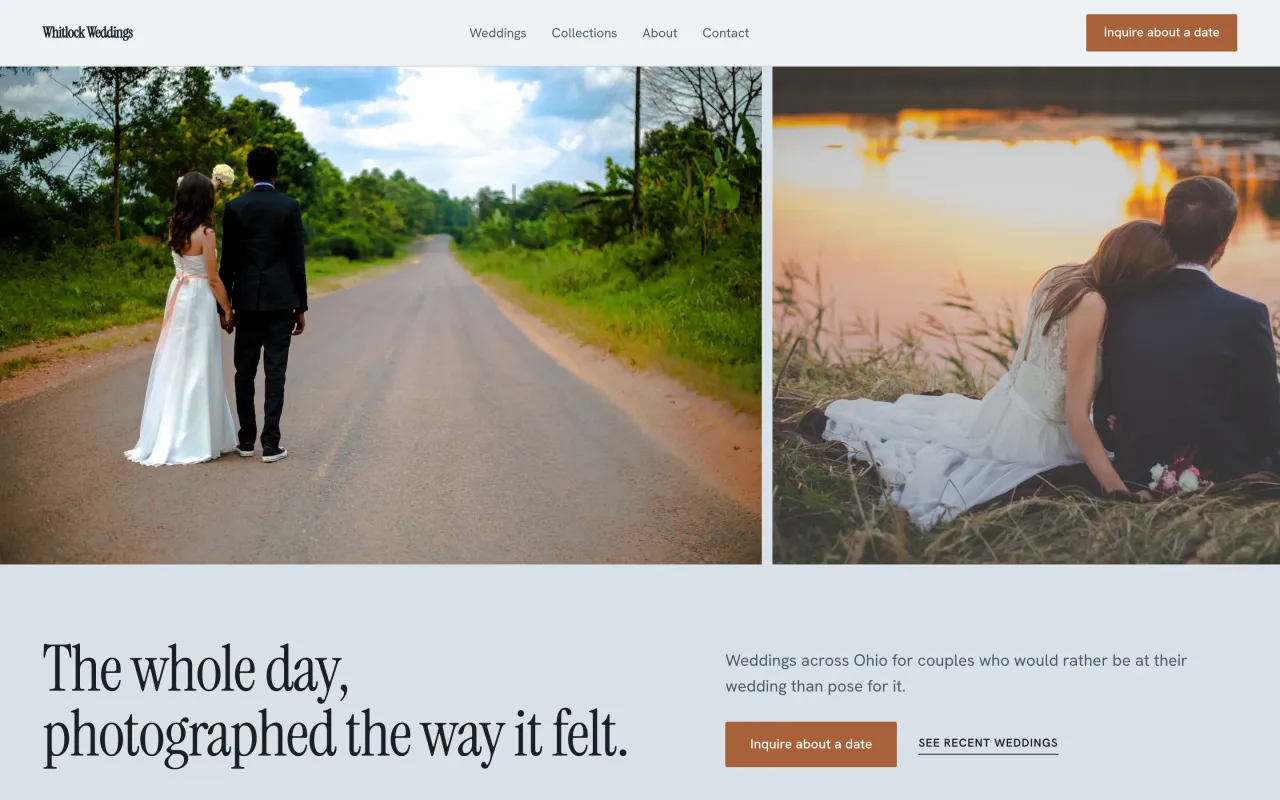 HeirloomSee it live (opens in a new tab)
-
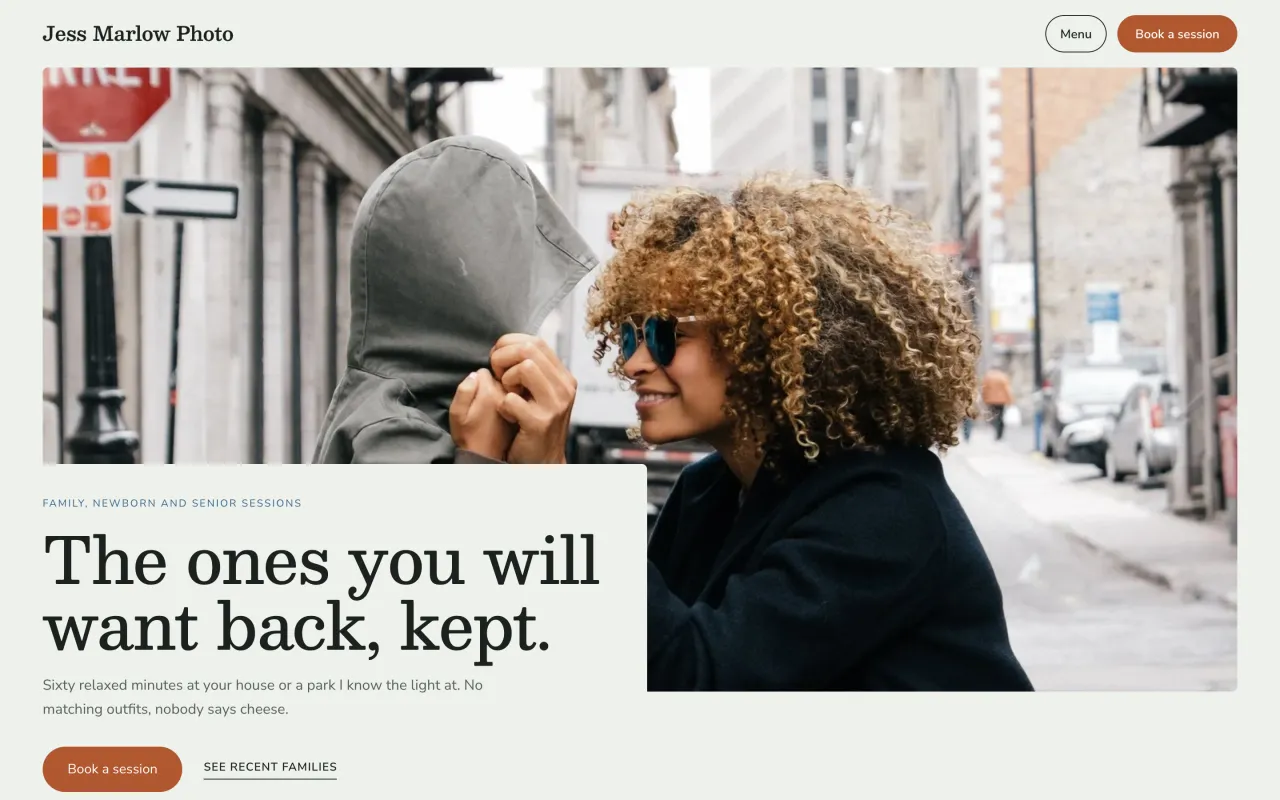 PorchSee it live (opens in a new tab)
-
 FolioSee it live (opens in a new tab)
-
 PodiumSee it live (opens in a new tab)
-
 BasaltSee it live (opens in a new tab)
-
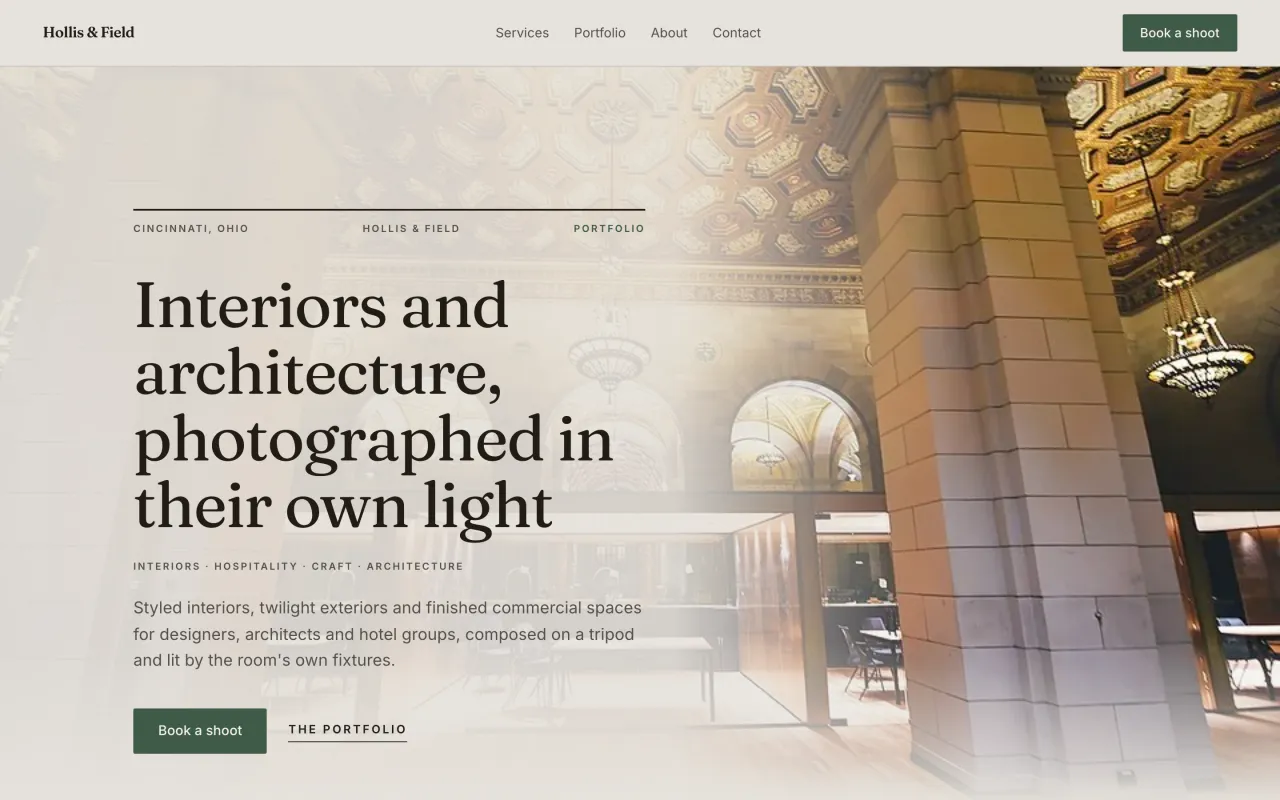 CurtainSee it live (opens in a new tab)

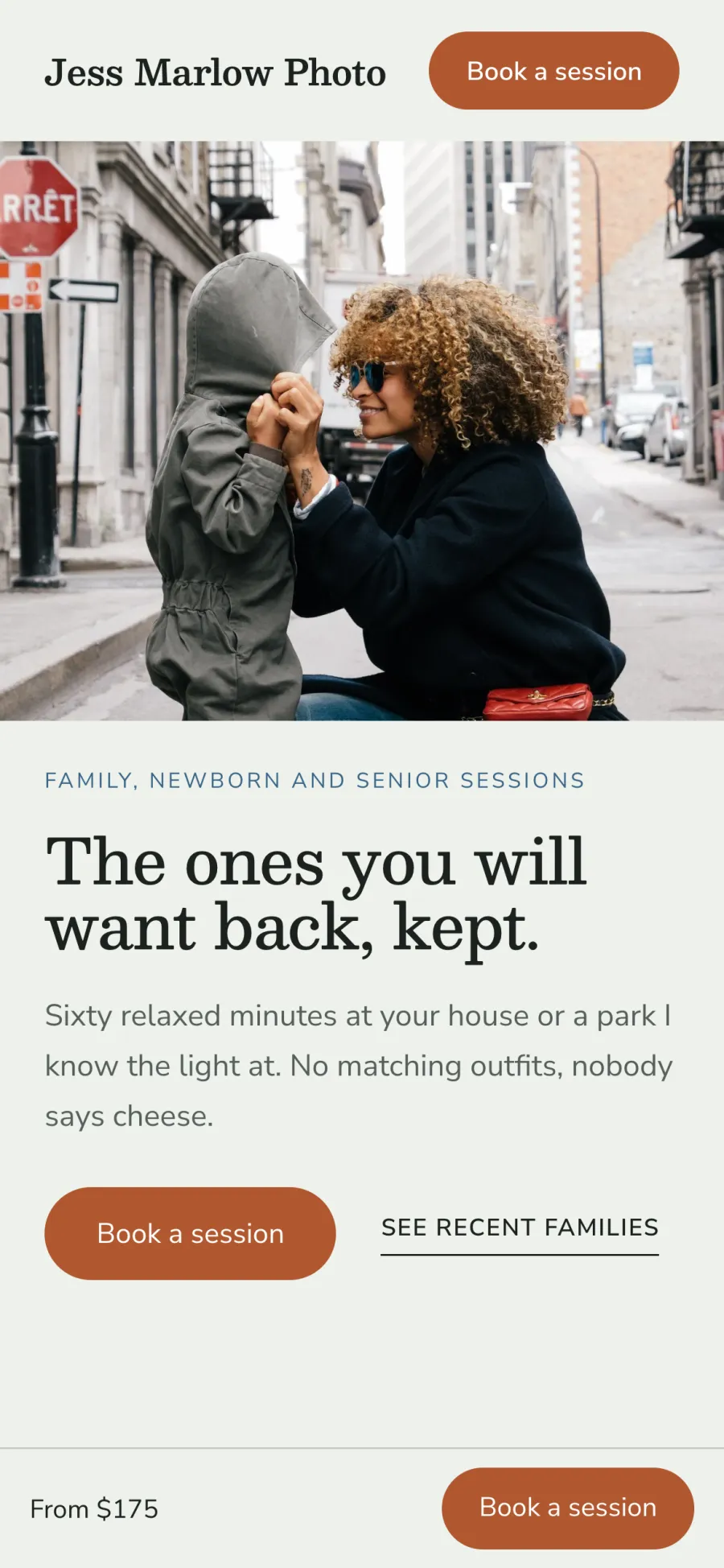

Booking on every page
Every page of your site has a button to book a session. Visitors pick a session, choose a time and pay the deposit on your own site. Bookings land in the same calendar as the rest of your work. Your website takes bookings while you are out shooting.
Your own domain and search settings
Your site runs on your own domain name. Write your page titles and descriptions, and your sitemap is made for you. Each service gets its own page and address. People searching for a family or wedding photographer can land on the page for that service.
Switch designs anytime
Change to another design whenever you like. Your photos and words carry over to the new one.
Portfolio with categories
Sort your work into categories, with a caption on each photo. Visitors find the kind of session they came for.
Built for phones
Every design fits a phone screen. Clients who tap your link on Instagram see your work at its best.
Edit from anywhere
Change your site from the web or from your phone. Fix a typo or add a new session between shoots.
Version history
Every change you publish is saved. Go back to an earlier version if you change your mind.
Link in bio page
A page for your Instagram bio with your booking link and your best work. Followers go from a post to a booked session in a few taps.
Photography business app for iPhone and Android
Run the studio from your phone between sessions: answer requests, check the day and take payment. The app uses the same account as your dashboard, so your clients, calendar and money are the same on both.
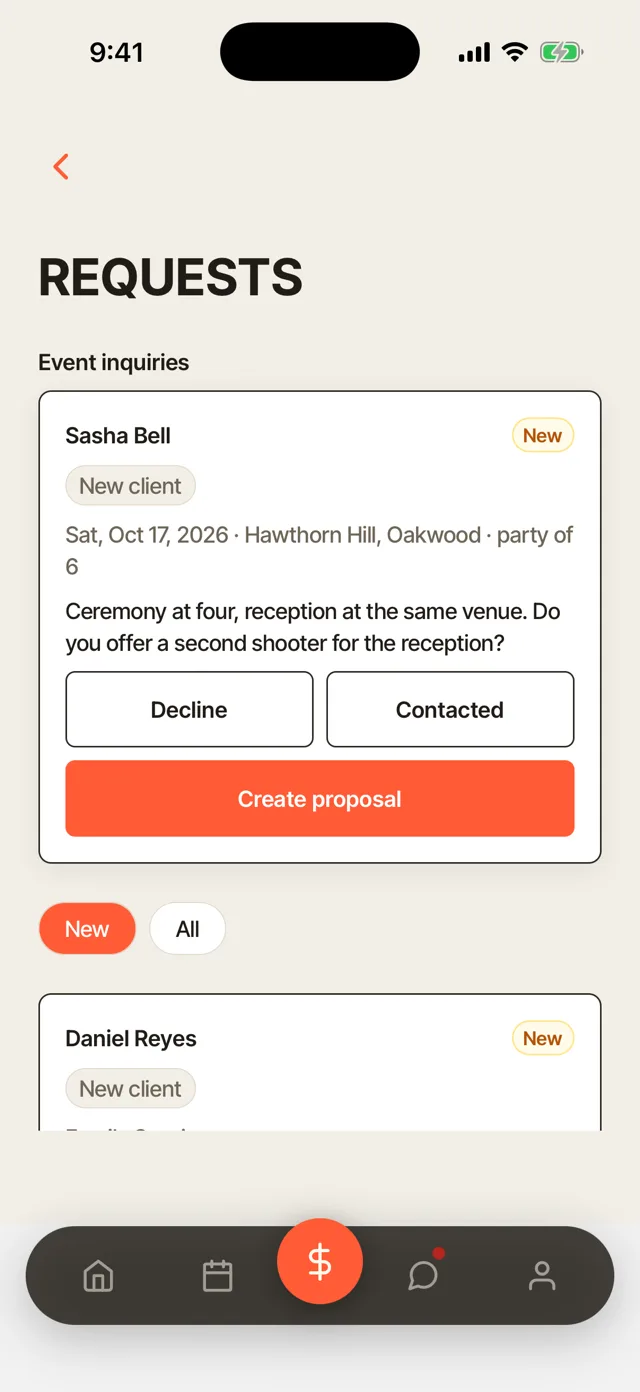
Requests
New session requests arrive in the app as they come in. Decline a request, mark it as contacted or create a proposal from the same screen. You can answer a client while they are still deciding, even from the car after a shoot.
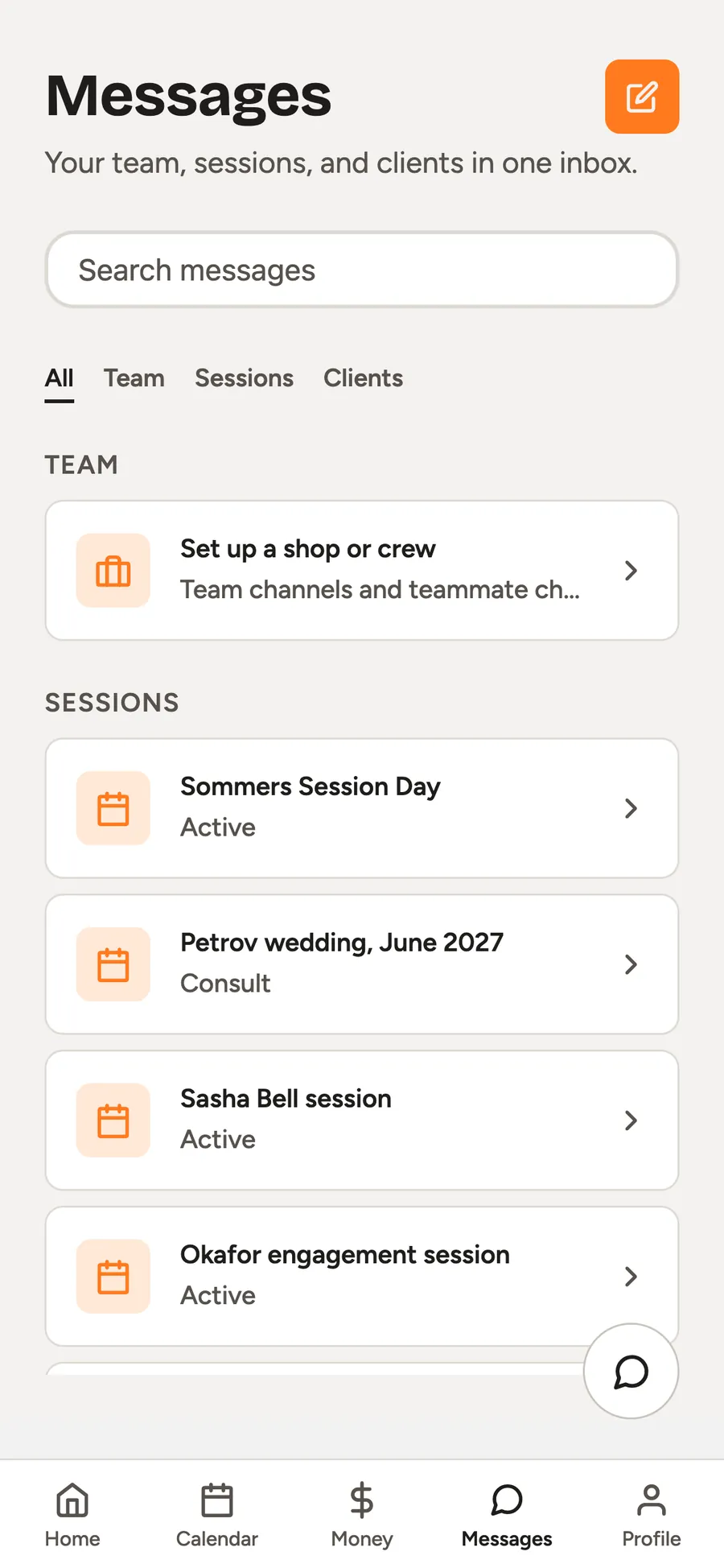
Messages
Reply to clients and your team from one inbox on your phone. Team, session and client conversations each keep their own thread. A question from a client gets an answer between sessions instead of at the end of the day.
Calendar
See the sessions for the day and what is next. Each session opens to its shot list, timeline and wardrobe.
Take payment
Send a pay link or use Tap to Pay on iPhone. Collect a balance before you leave the session.
Clients
Every client's details, sessions and spend, with search and filters. Look someone up before you call them back.
More features for photographers
Client portal
One place for each client's invoices, contracts and galleries. Clients sign in with a link or a 6-digit code, even inside the Instagram app.
Client messages and texts
Message clients by text and email from the dashboard. You reply from one place instead of switching between your phone and your inbox.
Automatic messages
Confirmations, reminders and follow-ups go out in your own words. You write them once, and they send on time.
Lead pipeline
Track every inquiry from New to Contacted to Booked. You see which leads still need a reply.
Monthly money report
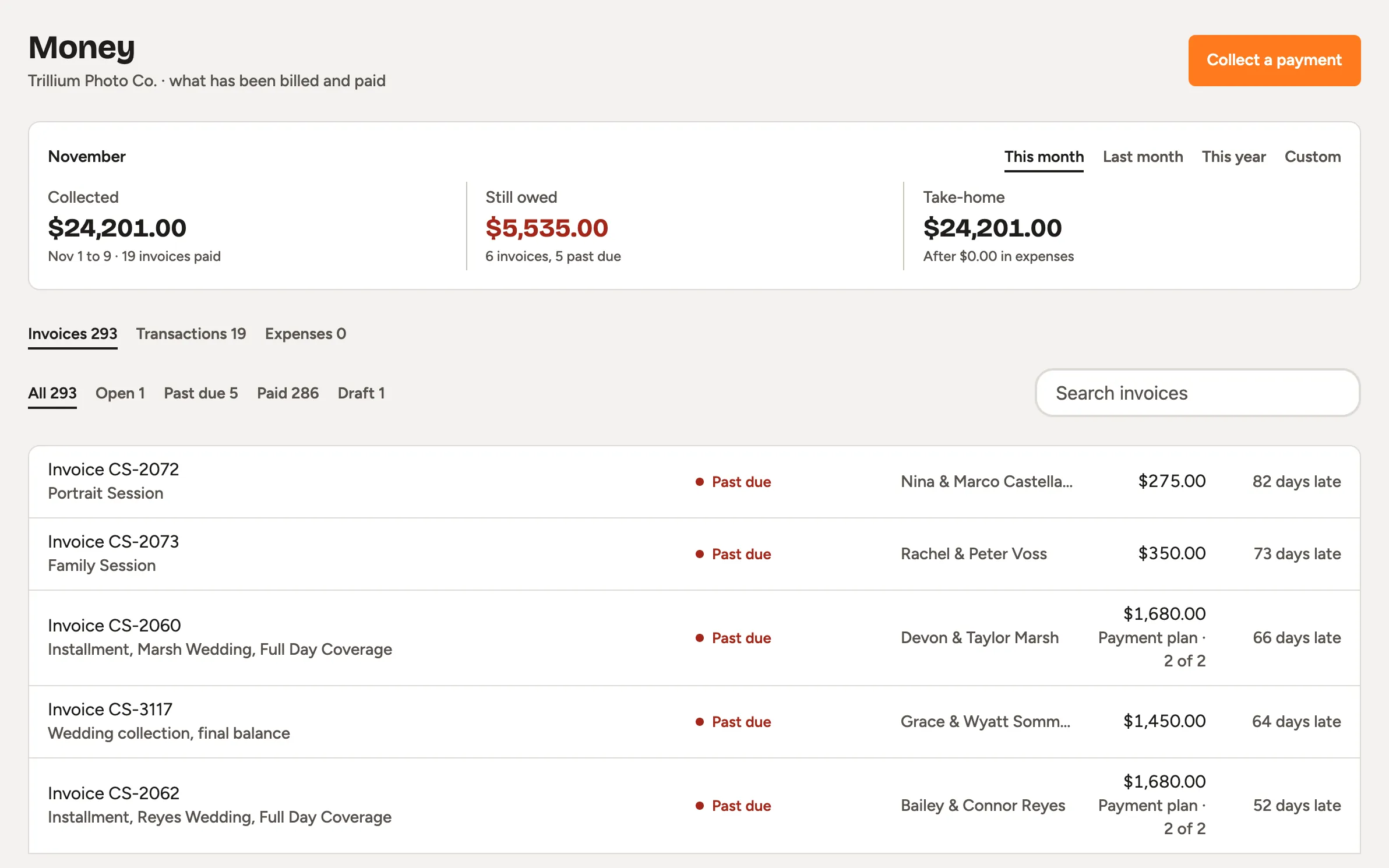
See what you earned, what went out and what you took home. You know how the month went at a glance.
CSV import and export
Bring your client list in from a CSV file, and take it with you anytime. Moving to Turbo Link does not mean starting your client list over.
Team accounts
Give assistants and associate photographers their own sign-in. Nobody has to share your password.
Rebooking for your team
See how well each photographer on your team brings clients back. You can tell who needs help keeping clients.
Social Studio
A paid add-on for planning and posting to your social accounts. Add it whenever you are ready.
What the Studio plan costs
Studio
Photography$49a month, billed annually
or $55 a month, month to month
- Client galleries with 100 GB included
- More storage at $10 a month per 250 GB
- Card payments at 2.9% + 15¢
- Instant payout at 1.5%, only when you want it
- Month to month, cancel any time
Questions photographers ask
What does Turbo Link Studio cost for photographers?
Turbo Link for photographers is the Studio plan: $49 a month billed annually, or $55 a month, month to month. Galleries include 100 GB of storage. See pricing for every number, or see how photographers' tools compare.
How do I get set up?
You can set it up yourself: pick a design, add your services and prices, and import your client list from a CSV file. If you get stuck, a real person answers when you call. Talk to a human.
Is there a contract?
Not on the software. It is month to month and you can cancel any time. A contract applies only to a custom site build or the Premium Marketing add-on, if you choose one.
What happens if I stop paying?
Access locks: the dashboard, the galleries and gallery sales. Your public site stays up with your contact details, with booking switched off until you are back.
Set up booking, galleries and contracts today
Set up your booking page yourself. You add a card to start, and you are not charged today.