A tattoo booking app for iPhone and Android
Answer requests and take payment between sessions, from the same shop as your dashboard.
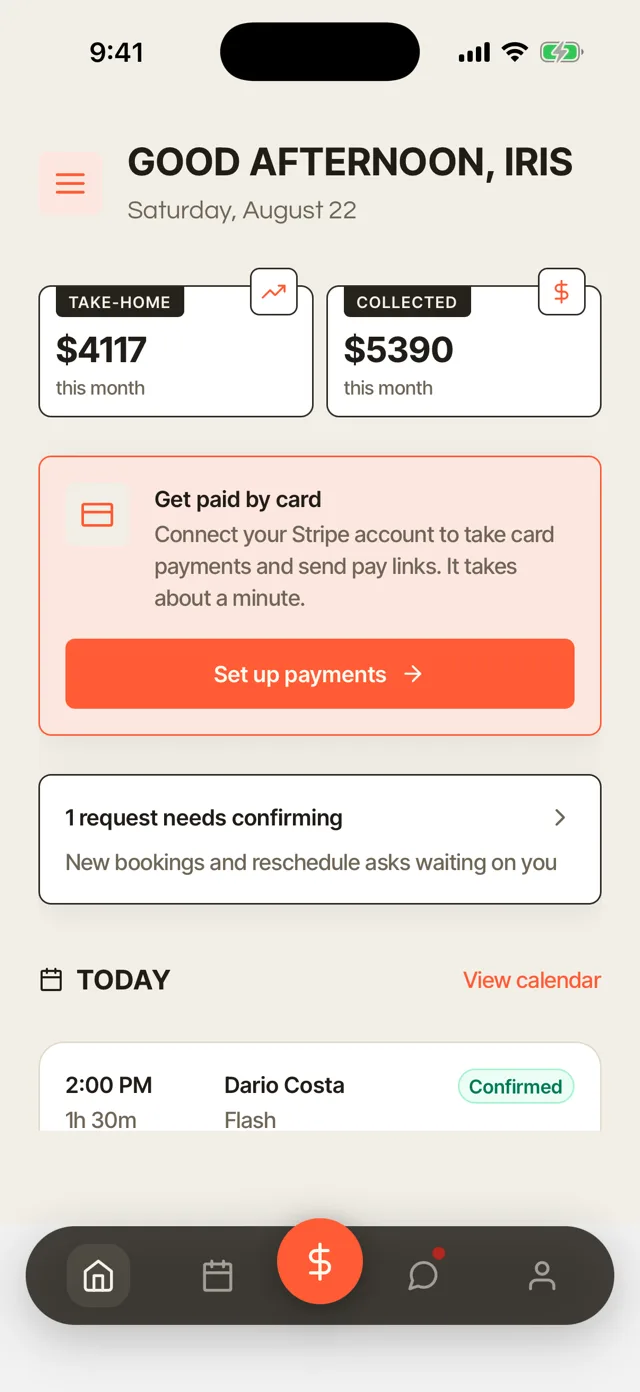
Booking requests on your phone
A client describes the piece, marks the placement and adds reference photos from your booking link. The request waits for you in the app, so you can answer between sessions. A quick reply keeps an interested client from moving on to the next shop.

Answer each request on the spot
Each request lands in the app with the client's idea, placement and answers to your questions. Confirm it or reply from the same screen. A new request does not wait until you are back at the front desk.
Reference photos with every request
Clients add up to five reference photos with each request. You see the style and the size they have in mind before you quote. There is less back and forth before a consult.
Requests on the home screen
The app's home screen shows the requests waiting for you. You see what needs an answer the moment you open the app.
Calendar
See the day's sessions and what is next. Check the week before you say yes to a new date.
The same shop as your dashboard
Clients, projects, calendar and money stay in sync between your phone and the dashboard. Answer on your phone, and the dashboard is already up to date.
Projects and sessions
Open any piece to see its sessions, photos, notes and the approved design. Check where a sleeve stands before the client sits down for the next sitting.


Every sitting of a piece
Each project lists its sessions in order, with the photos and notes from each one. You start the next session knowing exactly where the last one ended.
The approved design at hand
The design the client approved sits on the project, with every earlier revision kept in order. You and the client both know which drawing was agreed.
Consent status on your phone
Every session shows whether the client's consent form is signed. If it is not, send the signing link from your phone, and they sign on theirs before they sit down.


Ready or Not signed
Each session carries its consent status. Check the day's list in the morning and see who still has paperwork to do. Nobody waits in the chair while a form gets filled in.
Send the signing link
Copy the signing link and send it to the client by text or email. They type or draw their signature on their phone, and the session flips to Ready.
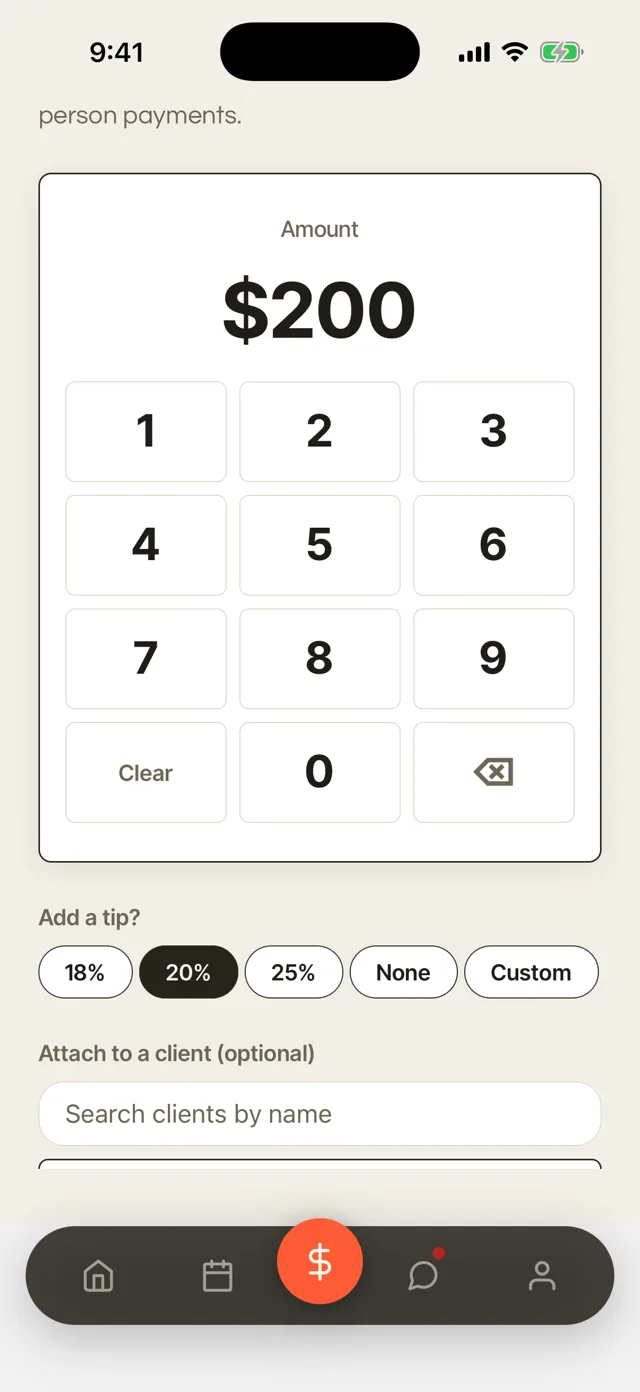
Payments and Tap to Pay on iPhone
Take the balance when the session ends, with Tap to Pay on iPhone or a card on file. Attach every payment to the client, so their record stays complete.

Tap to Pay on iPhone
Take a card in person with just your iPhone, with no card reader. Hold out your phone when the session ends, and the client taps their card or their phone to pay. The money goes to your own account like any other payment.
Card on file
Charge the card a client saved for the balance when it is due. You collect the rest of the price without chasing it by text.
Attach it to the client
Every payment is tied to the client and the session. Their record shows what they paid and when.
Automatic receipts
Clients get a receipt by email as soon as they pay. Their records and yours match without extra work.
Messages with clients and your team
Every client has one thread in the app, with their record right there. Team and client conversations sit in one inbox. You reply from your phone without giving out your personal number.


One thread per client
Each client has a single thread, with their pieces and sessions beside it. You answer with the full picture in front of you. Questions about placement or healing get answered between sessions.
Your number stays private
Clients message you in the app or in their client portal. Your personal phone number stays yours. You decide when you are at work and when you are not.
Team threads
Talk with your artists, apprentices and guest artists in the same inbox. Shop questions get answered without a separate group chat.
Automatic messages
Confirmations, reminders and follow-ups go out in your own words. You only write the replies that need you.
Guest artist access
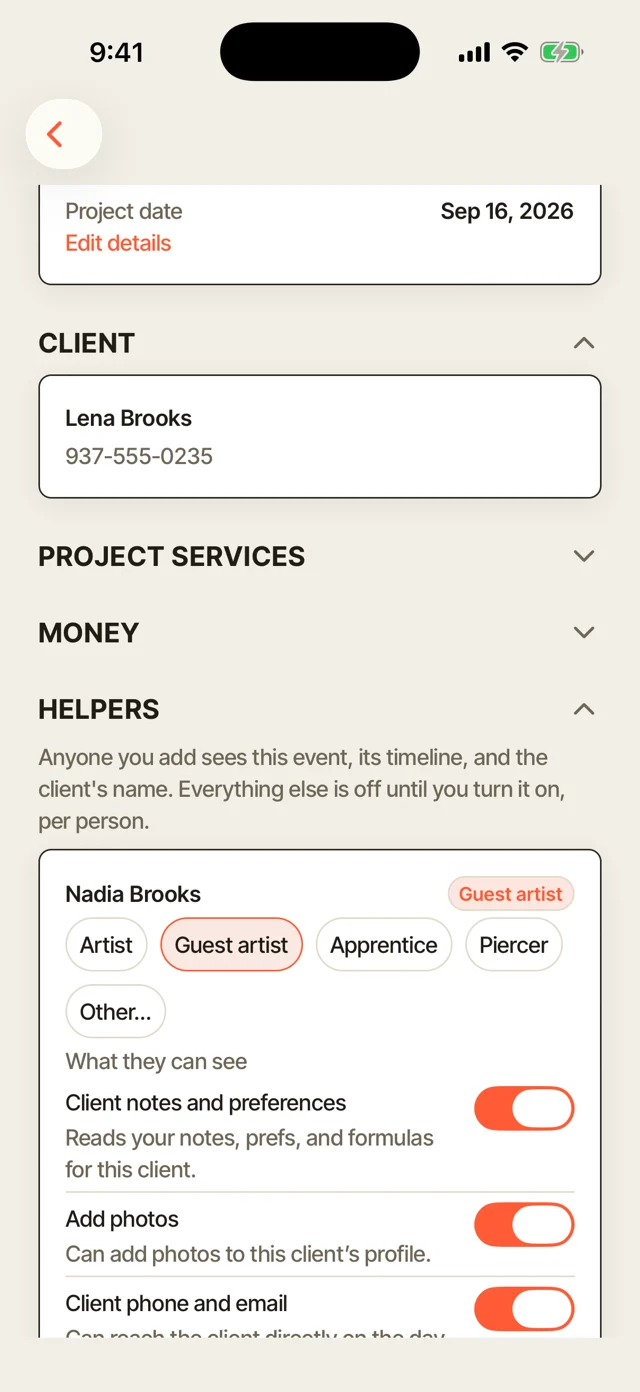
Invite a guest artist to one project by email, and they see only that project. You choose what else they see, so your other clients and your money stay private.

Invite to one project
Send the invite by email from the project. The guest artist sees that project, its timeline and the client's name. Everything else in your shop stays closed to them.
You choose what they see
Turn client notes, photos, phone and email, messages, paperwork and what the project bills on or off for each person. A guest you trust can see more, and a new one sees only the plan.
Roles for your team
Set each person as an artist, guest artist, apprentice or piercer. Everyone gets their own sign-in.
Fine for a shop of one
The team features stay out of the way until someone joins. Working alone, you see only what you need.
More of Turbo Link for tattoo shops



Questions about the tattoo booking app
Does the app work on iPhone and Android?
Yes, on both. The Turbo Link app is built for you, the artist running the shop. Your clients choose their side: a portal that opens with a link or a code and nothing to download, or the app if they would rather have an icon. See their side on the client experience page.
Do my clients need the app?
No. The portal opens with a link or a 6-digit code, and there is nothing to download. The app is there for any client who would rather have an icon on their phone.
Is it the same app for me and my clients?
Yes. The first time it opens, it asks whether you are a professional or a client and takes you to your side.
Do I still need the desktop dashboard?
Use whichever screen is in front of you. It is the same shop: clients, projects, calendar and money stay in sync between your phone and the dashboard.
How do payments work on the phone?
Send an invoice, charge a card on file, or take the card with Tap to Pay on iPhone, with no reader.