A tattoo shop dashboard for requests, projects and payments
Every request lands on one screen, so nothing gets lost in your DMs.

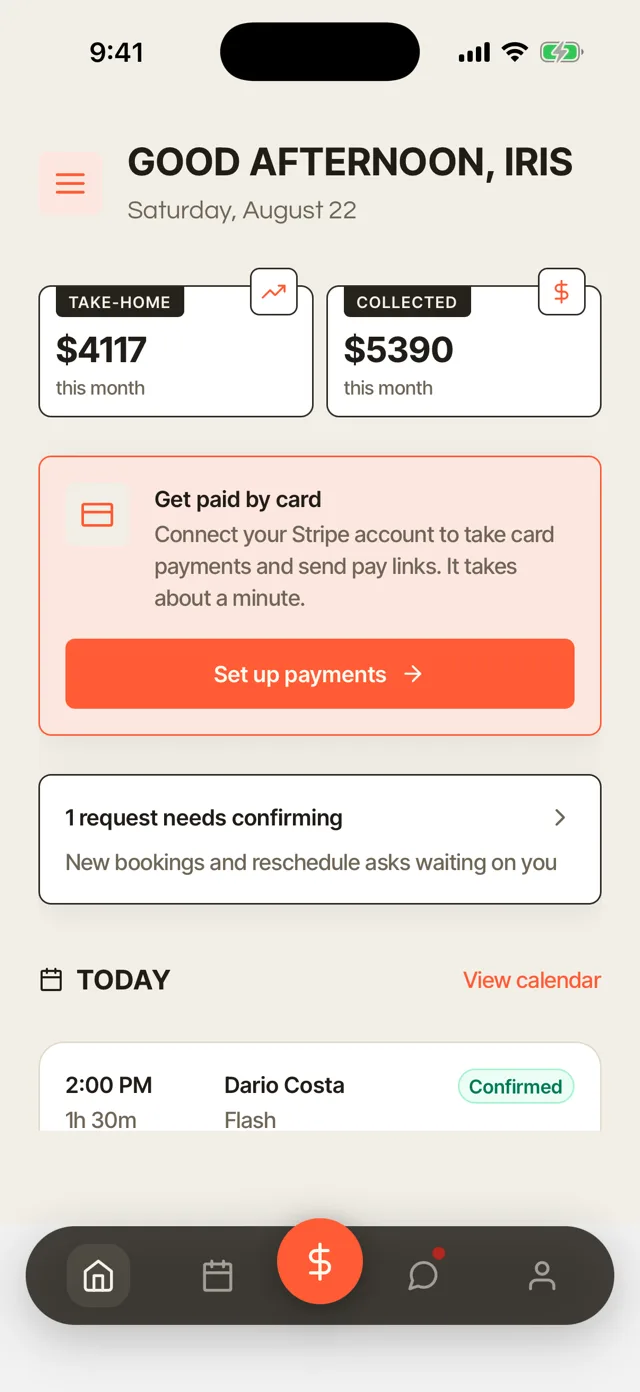
Booking requests and the appointment book
Every request from your booking link lands in one inbox and on the calendar, with the placement, the description and the reference photos attached. The appointment book shows the day in order, with each session's deposit beside it. You see what needs an answer before it slips.
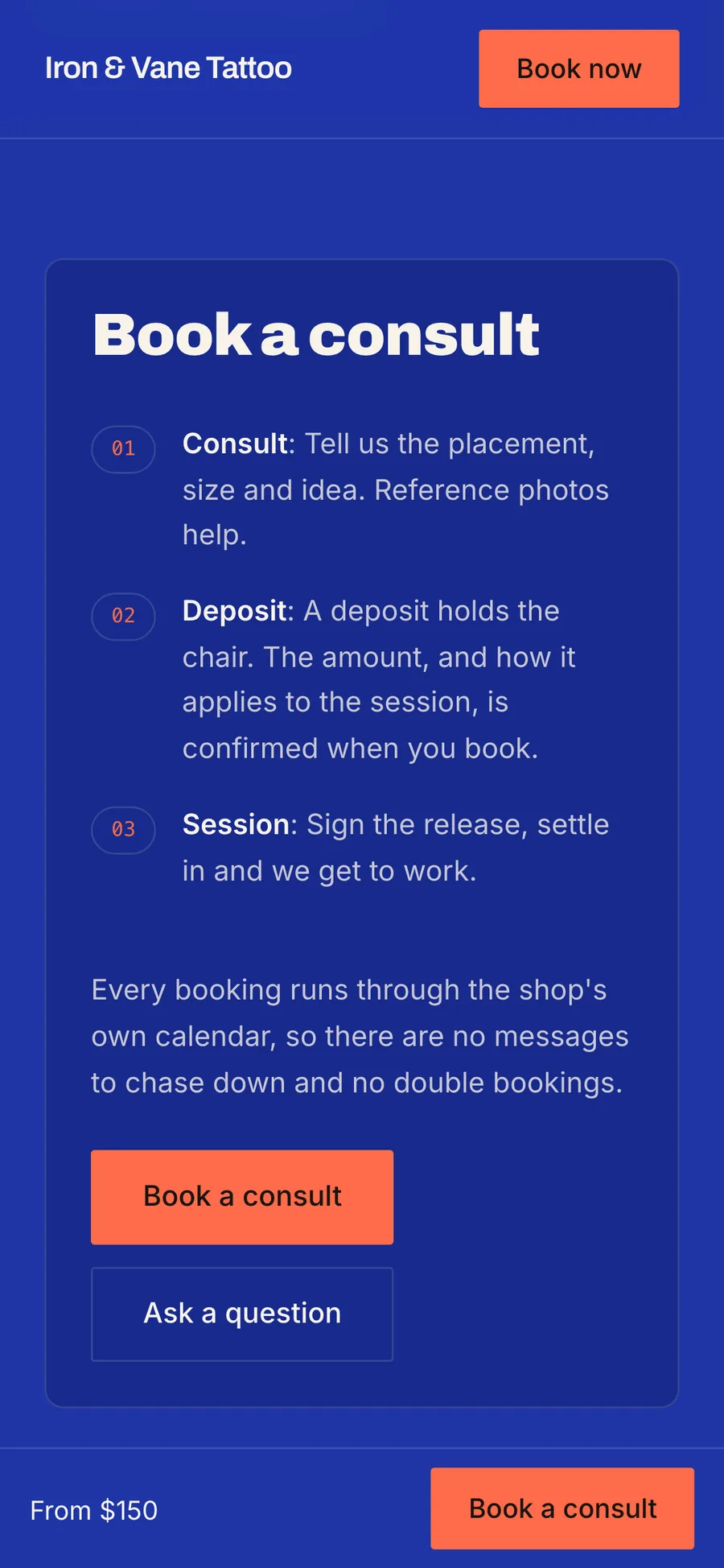

One inbox for every request
Requests from your booking link land in one inbox with the client's idea, placement and reference photos attached. Each one also shows on the calendar, so you see where it falls in your week before you confirm. Nothing waits in a DM you forgot to answer.
The appointment book
Today's sessions in order, each with its time, client, artist and deposit. Every session moves from requested to confirmed to in service to completed, so the whole shop knows where things stand. Filter by artist to see one person's day.
Needs confirming
Requests waiting on you sit in their own tab. Clear them in one pass instead of hunting through messages.
No double bookings
A second booking for a time that is already taken is refused. Your calendar stays right without you checking it twice.
Waitlist
When your books are full, clients join your waitlist. A slot that opens up is offered to the people waiting.
Multi-session tattoo projects
A sleeve or a back piece lives as one project, with every session, photo, note and design revision in one place. Each project shows where it stands, from consult to active to healing to completed. You pick up the next session where the last one ended.


Every session in one place
Add each session to the project as you book it. The project holds the photos from every sitting and your notes on what comes next. You never scroll back through months of appointments to find where a piece stands.
Design approval, revision by revision
Send a design to the client from the project. They approve it or ask for changes in their portal, and each revision is kept on the project in order. The agreed version is on record before the stencil goes on.
A deposit and balance for each session
Each session on a project carries its own deposit and balance. A long piece gets paid as the work goes.
Touch-ups linked to the original
Book a touch-up against the piece it belongs to. The healed piece and its touch-up stay on one project.
Consent forms and documents
Every signed consent form, release and ID check is stored on the client's record. Each session shows whether consent is ready, so you know who still has to sign before the day starts.


Consent status on every session
Every session shows Ready or Not signed. If a client has not signed, copy the signing link and send it to them. You find out before they sit down, not when the stencil is ready.
A consent and release written for tattoo work
The form covers the client's date of birth, health questions, the piece and its placement, a photo release and the aftercare you gave. Prefer your own wording? Upload the PDF you already use and place the fields. Either way, every signed form is kept with the client.
Age and ID check
A separate age and ID form records the client's date of birth, the ID they showed, its last four characters and the name of the artist who checked it. The client signs that they are at least 18. No copy of the ID is kept, only the record.
Signed on a phone
Clients type or draw their signature on their own phone. The signed form goes straight to their record.
Kept on the client record
Every signed form lives on the client's record. Open the client and the form is there when an inspector or an insurer asks for it.
Commission splits and booth rent
Set each artist's commission rate, or a booth rent for each renter, and see who is paid and who is due. Payday comes from the same records as your bookings, so there is no spreadsheet to keep in step.

Commission splits
Give each artist their own commission rate. A monthly statement shows what each artist earned and what the shop owes them. You pay people from numbers you can check.
Booth rent
Set one rent term for each renter, with a monthly due date. Each month shows as paid, due or late. Renters see their own rent and nobody else's.
Roles for your team
Set each person as an artist, guest artist, apprentice or piercer. Everyone gets their own sign-in.
Limit artists to their own clients
Keep each artist to the clients they work with. The rest of the shop's clients stay private.
Payments and money reports
Invoice deposits, balances and payment plans, and get paid by card to your own account. The Money page shows what you collected, what clients still owe and what you took home. Turbo Link takes no cut of your bookings. You pay the plan and the card rate.


Invoices clients pay online
Invoices wait in your client's portal with a pay button. Clients pay by card from their phone and get a receipt by email as soon as they pay. The money goes to your own Stripe or Square account.
Monthly money report
See what you earned, what went out and what you took home, month by month. Switch between this month, last month, this year or a custom range. You know where the shop stands without opening a spreadsheet.
Payment plans
Split a big piece into a deposit and payments on the dates you choose. Clients can say yes to a full sleeve without paying for it all at once.
Card on file
Clients save a card, and you charge it for the balance when it is due. You stop chasing final payments by text.
One card rate
Cards cost 2.9% + 15¢, whether the client pays in the shop or from their portal. The rate is the same on every payment.
More in the tattoo shop dashboard
Automatic messages
Confirmations, reminders and follow-ups go out in your own words. Clients hear from you on time without you writing each one.
Aftercare emails
Aftercare goes out on day 1, day 3 and at two weeks after a session is marked complete. You rewrite each message once, and every client gets it.
Client messages and texts
Message clients by text and email from the dashboard. The conversation stays next to the client's record.
Website editing
Change your site, your flash and your rates from the dashboard. The site updates as soon as you publish.
Request pipeline
Track every request from New to Contacted to Booked. You see which requests still need a reply.
Client portal
Each client gets a portal with their bookings, invoices, consent forms and designs. They sign in with a link or a 6-digit code, with nothing to download.
More of Turbo Link for tattoo shops


Questions about the tattoo shop dashboard
I work alone. Is this too much?
The dashboard runs a book of one just fine, and the team features stay out of the way until another artist joins.
Can I move my clients from another booking app?
Yes, yourself: export your client list as a CSV file and import it into Turbo Link. Your clients land in your list ready to book.
What happens to my data if I leave?
Your client list and records belong to your shop. Export them as a CSV file and take them with you.
Does it work for a shop with several artists?
Yes. Each artist gets their own sign-in and their own calendar, and you can keep each artist to their own clients. The owner sees the whole shop, with commission splits and booth rent in one place. A shop with more than one chair uses the Team plan, $89 a month billed annually for up to nine people. See pricing.
Run the shop from one screen
Set up your request inbox and your appointment book.